Article Guide
Use these jump points to move through the article faster.
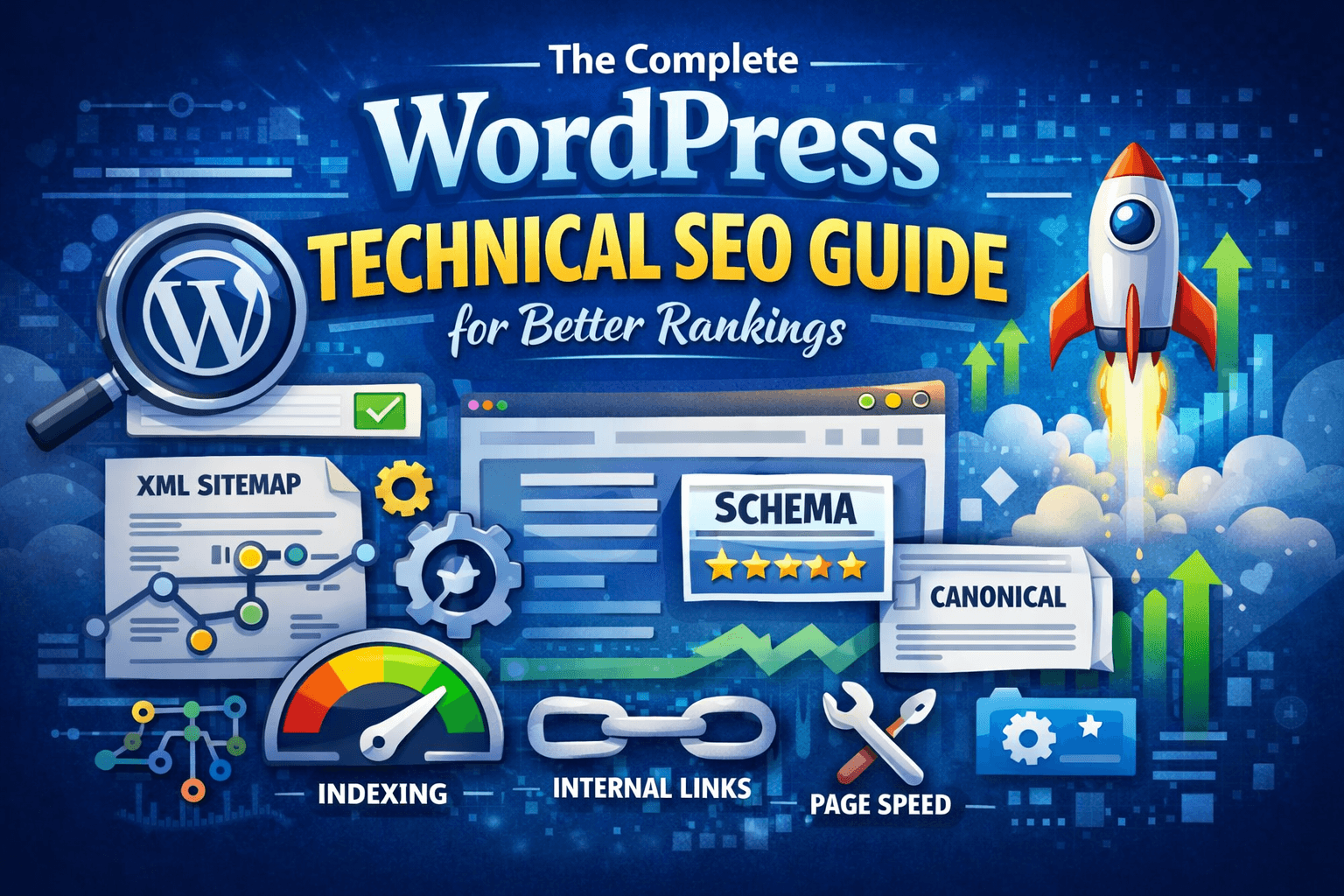
If you want higher rankings in Google, publishing good content is only half the job. Search engines also need to crawl your site efficiently, understand your pages correctly, load your content fast, access your CSS and JavaScript, and trust that your site is well structured for users and bots alike. Google’s own guidance is very clear on this: SEO starts with helping search engines discover, crawl, render, and understand your content, not with gimmicks or keyword tricks. That is exactly where WordPress technical SEO matters. WordPress gives you a strong base, but it does not automatically solve indexation issues, duplicate URLs, weak internal linking, slow themes, bloated plugins, layout shifts, or poor Core Web Vitals. If those problems exist, your rankings usually plateau even when the content itself is solid. In this guide, I’ll walk through the technical WordPress tasks that actually help websites rank better: crawlability, indexation, site structure, permalinks, sitemaps, canonicalization, mobile readiness, Core Web Vitals, structured data, image SEO, JavaScript rendering, and Search Console monitoring. The focus is practical, WordPress-friendly, and aligned with what Google publicly recommends.
Why Technical SEO Matters in WordPress
Google explains that SEO is about making it easier for search engines to crawl, index, and understand content, while also helping users decide whether your result is worth visiting. That means rankings are affected not only by what you write, but by whether Google can reach the page, render it properly, and understand its purpose. WordPress is generally SEO-friendly, but that does not mean every WordPress site is technically sound. Themes, page builders, plugins, redirects, archive pages, media attachment URLs, weak hosting, and bad indexing settings can all create SEO friction. A technically optimized WordPress site usually earns three advantages at once: better crawl efficiency, stronger user experience, and clearer page signals. Those combine into better visibility over time, especially on larger sites with lots of posts, products, categories, or custom post types.
Start With Indexability
The first technical SEO check is simple: make sure search engines are allowed to index the site. In WordPress, the setting under Settings > Reading called Discourage search engines from indexing this site can quietly block visibility if it is enabled. Google also recommends checking whether pages are blocked by robots.txt, hidden by a noindex tag, or inaccessible in a way that prevents Googlebot from seeing them. If a page is valuable for ranking, it should not be accidentally blocked through those mechanisms. One of the fastest ways to audit this is through Google Search Console’s URL Inspection tool. Google specifically recommends using inspection and rich result testing tools to understand how Google sees a page, which is often different from what you see in the browser.
Use SEO-Friendly Permalinks
Google recommends descriptive URLs because words in the URL can help users understand what a page is about, and those URL parts may also appear in breadcrumbs within search results. Random parameter-based URLs are far less useful. For most WordPress sites, the cleanest permalink structure is /post-name/ or a closely related logical structure that includes a relevant directory like /blog/ or /services/ when needed. This makes URLs readable, shareable, and easier to interpret by both users and search engines. Avoid frequently changing live URLs without a redirect plan. If you change a slug after a page has already earned rankings or links, set a proper 301 redirect to preserve continuity and prevent orphaned or duplicate versions. Google recommends redirects or canonical handling when the same content is available under multiple URLs.
Build a Logical Site Structure
Google advises organizing a website logically so users and search engines can understand how pages relate to each other. On larger sites especially, grouping similar topics in directories can help Google learn which sections change frequently and how the site is structured. In WordPress terms, that means your categories, parent pages, custom post type archives, and internal links should reflect real topical relationships. If your blog covers SEO, WordPress, speed optimization, and hosting, those topics should be grouped intentionally instead of dumped into flat, unrelated archives. A clean structure also improves internal linking. Google says links are one of the main ways new pages are discovered, and anchor text helps users and search engines understand the destination before they click.
Fix Internal Linking Early
Googlebot discovers pages through links, sitemaps, and redirects, but links remain foundational. Google specifically recommends using crawlable <a> elements and making sure pages can be reached from other findable pages on the site. That matters a lot in WordPress because it is easy to publish content that ends up buried in archives with almost no internal links pointing to it. A post that is technically published but poorly linked may still struggle to gain traction because it is weakly connected in the site graph. The practical fix is to build contextual internal links inside posts, add related-content sections where useful, surface important pages in navigation, and avoid relying only on tag archives. Use anchor text that clearly describes the destination rather than vague phrases like “click here” or “read more.”
Generate and Maintain XML Sitemaps
Google says sitemaps help Googlebot crawl a site more intelligently and are especially useful for communicating which URLs matter on your website. WordPress now generates basic sitemap functionality, and SEO plugins can extend that control. Your sitemap should include indexable, valuable pages only. Thin archives, filtered URLs, duplicate media pages, internal search results, and noindex content should generally stay out of the sitemap so the file stays focused on URLs that deserve crawling and indexing. After confirming the sitemap works correctly, submit it in Google Search Console. That does not guarantee rankings, but it improves discovery and gives you a clean way to monitor indexed versus submitted URLs.
Handle Duplicate Content Correctly
Google explains that duplicate content often happens when the same content appears under multiple URLs, and search engines then choose a canonical version to show users. That is not automatically a penalty, but it can waste crawl resources and create confusion. WordPress commonly creates duplicates through category archives, tag archives, author archives, pagination, attachment pages, HTTP/HTTPS variants, trailing slash inconsistencies, and URL parameters. Left unmanaged, those can dilute signals and clutter index coverage reports. The usual fix is a mix of canonicals, redirects, and selective noindex rules. Google recommends redirecting non-preferred URLs to the preferred version where possible, and using rel="canonical" when redirects are not practical.
Choose One Preferred Domain Version
Your site should resolve to a single consistent version: ideally HTTPS, with either www or non-www chosen as the main version. If multiple variations load separately, Google may see them as separate URLs until signals are consolidated. In practice, that means all alternate versions should 301 redirect to the preferred canonical format. For example, http://example.com, http://www.example.com, and https://www.example.com should all resolve to one final preferred URL. This sounds basic, but it is still a common WordPress mistake on migrations, staging launches, or CDN changes. If you skip it, you create avoidable duplication at the domain level.
Use Canonical Tags Properly
Canonical tags tell search engines which version of a page should be treated as the main one when similar or duplicate URLs exist. Google explicitly supports canonicalization as a way to reduce duplicate-content confusion. Most major WordPress SEO plugins automatically place self-referencing canonical tags on indexable pages and allow overrides when needed. That is helpful on paginated content, product variations, filtered archives, or pages that can be accessed from multiple routes. Still, don’t treat canonicals as a bandage for bad architecture. If a URL should not exist publicly, often the better fix is to remove it from internal linking, noindex it, or redirect it instead of relying only on canonical hints.
Control Thin Archives and Taxonomies
WordPress can generate many low-value URLs automatically, including tag pages with one post, author archives on single-author blogs, date archives, and media attachment pages. Those pages are not always harmful, but they often add index bloat when they offer little unique value. Google recommends focusing on useful, unique, people-first content, not inflating the index with repetitive or low-context pages. If an archive page doesn’t help users and doesn’t serve a strategic purpose, it may be better set to noindex or disabled. The right approach depends on the site. Category archives can rank very well when curated and content-rich, while low-quality tag archives often create clutter rather than value.
Keep CSS and JavaScript Crawlable
Google says that when it crawls a page, it should ideally see the page the same way a user does. If important CSS or JavaScript resources are blocked, Google may fail to understand the page correctly, which can hurt indexing and rankings. This is especially relevant for WordPress themes that depend heavily on front-end rendering, sliders, accordions, tabs, lazy-loading scripts, or JavaScript-injected content. If important content only appears through unsupported or delayed rendering behavior, Google may not process it as intended. Avoid blocking theme assets in robots.txt, and make sure critical text content exists in the DOM. Google explicitly states that content added only through the CSS content property is not part of the DOM and may be ignored.
Be Careful With JavaScript-Heavy Builders
Google can process JavaScript, but it also says there are differences and limitations in how crawlers access and render content. That means JavaScript should support content delivery, not become a barrier to it. On WordPress, this matters when page builders or custom themes inject important headings, FAQs, reviews, or product descriptions after load through scripts rather than including them cleanly in the initial HTML. If the rendered output is fragile, SEO becomes fragile too. The safest pattern is simple: key textual content, headings, links, and primary media context should exist in the source HTML or be reliably rendered in a way Google can process consistently. Decorative effects are fine; essential meaning should not depend on them.
Make Content Visible in Text Form
Google states that Googlebot can only find content that is textually visible. If meaning is trapped in images, videos, or graphical UI without supporting text, search engines may miss the context entirely. That means a WordPress page full of banners, icons, screenshots, or hero sections with text baked into images is weaker than a page that uses real HTML text around those visuals. Even product grids and service sections need textual context, not just images and buttons. If a user needs text to understand the page, Google likely needs it too. Use proper headings, short explanatory copy, descriptive labels, and accessible page sections to reinforce the page topic.
Write Better Title Tags and Meta Descriptions
Google says each page should have a descriptive title and meta description, and it uses page signals like the <title> element and on-page headings to generate title links in search results. Unique, clear titles help users understand relevance before clicking. For WordPress, the goal is not stuffing every variation of a keyword into the title. Google explicitly says keyword stuffing is a bad practice, and titles should be concise, accurate, and unique to the specific page. Meta descriptions are not a magic ranking lever, but Google notes they can influence snippets and help users decide to click. So write them for clarity and intent, not as a dump of repetitive terms.
Do Not Waste Time on Meta Keywords
Google clearly states that it does not use the meta keywords tag for ranking in Search. That means adding giant lists of keywords in old-school SEO fields has no value for modern rankings. Unfortunately, some WordPress users still spend time filling those fields because older tutorials made them sound important. They are not where your ranking gains will come from. Your time is much better spent improving titles, internal links, structured data, page speed, and content quality. Those areas align with current Google documentation and real technical improvem/p>
Optimize Core Web
Core Web Vitals measure real user experience, not just abstract speed. For WordPress sites, the key metrics are Largest Contentful Paint for loading speed, Cumulative Layout Shift for visual stability, and Interaction to Next Paint for responsiveness. Google’s documentation for developers also emphasizes that sites should be fast, accessible, and work well on all devices, which fits directly with Core Web Vitals Strong Core Web Vitals do not replace good content, but poor vitals can absolutely weaken user experience and make a site less competitive in search. WordPress sites often suffer here because of oversized themes, too many plugins, heavy sliders, render-blocking assets, and unoptimized images.
Improve Largest Contentful Paint
LCP is about how fast the main content of the page becomes visible. On many WordPress sites, the biggest LCP offenders are huge hero images, slow server response, unoptimized fonts, bloated CSS, and page-builder output that delays rendering. Practical improvements include using better hosting, page caching, optimized images, reduced third-party scripts, cfont loading, and trimming unused CSS or JavaScript. Those changes shorten the time it takes for the main content element to appear. [w/p> If your WordPress homepage is visually heavy, start there. A fast blog post template does not offset a homepage or landing page that loads its key content too slo/p>
Reduce Cumulative Layou
CLS measures unexpected layout movement during loading, and a good CLS score is 0.1 or less. Shifting layouts frustrate users and create a low-quality expe In WordPress, layout shift often comes from missing width and height on images, ad slots without reserved space, web fonts that swap badly, cookie banners pushing content down, and sliders or embeds loadin Reserve media dimensions, preload critical assets carefully, avoid injecting content above existing elements, and test templates with real-world content. These fixes are usually straightforward and can noticeably improve page stability.
Improve Interaction to Next Paint
INP evaluates how responsive a page feels during user interactions and has replaced First Input Delay in the Core Web Vitals set. It reflects the real-world delay users feel after clicking, tapping, or typing. On WordPress sites, poor INP usually comes from too much JavaScript: popup systems, chat widgets, tracking scripts, animation libraries, overloaded builders, or WooCommerce customizations that do too much on the main thread. The fix is not “add another optimization plugin and hope.” It is reducing script weight, deferring what is non-essential, removing low-value front-end features, and being selective about plugin choices.
Choose Fast Hosting and Caching
Technical SEO starts below WordPress too. A slow server increases response times, which harms user experience and makes every front-end optimization less effective. Speed guidance for WordPress technical SEO consistently emphasizes server quality as part of the foundation. Good hosting, full-page caching, object caching where appropriate, CDN support, updated PHP versions, and optimized database handling all contribute to faster delivery. While Google’s SEO docs are not a hosting tutorial, they repeatedly stress that sites should be fast and accessible across devices. If rankings matter, hosting should be treated as an SEO decision, not only an infrastructure decision. A heavy WordPress stack on cheap, overloaded hosting tends to show its weaknesses everywhere else.
Optimize Images for Search and Speed
Google recommends using high-quality images near relevant text, because nearby text helps Google understand what the image means in context. Image placement is not just visual decoration; it contributes to page understanding. Google also emphasizes descriptive alt text. Alt text should explain the relationship between the image and the content, helping both accessibility and search understanding. For WordPress, image SEO usually comes down to four things: compress images, serve modern formats where possible, use descriptive filenames and alt text, and keep images close to relevant written content. If your images are huge, vague, or context-free, they hurt both performance and discoverability.
Use Structured Data Carefully
Google says structured data can help it understand a page better and make that page eligible for rich results in Search. Rich results can include enhanced visuals or interactive elements that make your listing stand out. In WordPress, structured data is often added through SEO plugins, schema plugins, or theme integrations. Common use cases include Article, Breadcrumb, FAQ, Product, Review, Organization, and Local Business markup, depending on the site type. But markup only helps when it matches the actual visible content. Structured data is not a shortcut to rankings by itself; it is a clarification layer that supports understanding and eligibility for richer search appearances.
Use Breadcrumbs for Clarity
Google notes that URLs can appear as breadcrumbs and that breadcrumbs help users understand where a result sits within a site. Structured breadcrumb markup can also reinforce that hierarchy. WordPress sites with multiple content layers, such as blogs, service hubs, or eCommerce categories, benefit from breadcrumbs because they improve navigation and strengthen contextual relationships between sections. Just keep the hierarchy logical. Breadcrumbs should reflect genuine site structure, not a forced SEO pattern stuffed with repetitive terms.
Make Mobile Experience a Priority
Google’s developer guidance says sites should be secure, fast, accessible to all, and work on all devices. That includes how content behaves on mobile, where usability issues can directly undermine search performance and engagement. For WordPress, mobile problems often include intrusive popups, tiny tap targets, unstable layouts, oversized fonts, slow mobile templates, and page builders that look acceptable on desktop but break down on smaller screens. Those issues can reduce usability even when the content is strong. Responsive design, touch-friendly navigation, compressed media, stable layout behavior, and fast interactive performance are all part of technical SEO now because they shape the actual experience of the page.
Secure the Site With HTTPS
Google’s developer documentation includes site security among the basic qualities a site should have. A secure site is part of being trustworthy and technically sound. For WordPress, HTTPS should be universal across the full site, with HTTP versions redirected permanently to HTTPS. Mixed-content issues should also be resolved so browsers do not partially block page assets. HTTPS alone will not push weak content to the top of search results, but an insecure setup is still a foundational problem you do not want on a site you expect Google and users to trust.
Control Crawl Waste
Google explains that search engines crawl URLs they discover through links, sitemaps, and redirects, and duplicate or low-value URLs can waste crawling resources. That matters more as a site grows. On WordPress, crawl waste often comes from internal search results, faceted navigation, URL parameters, endless tag archives, attachment pages, and low-value paginated archives. Not every site has a major crawl-budget problem, but many larger sites do create unnecessary crawling noise. The solution is to be selective: block or noindex what should not rank, keep sitemaps clean, consolidate duplicates, and make sure internal linking points toward important pages rather than endless URL variations.
Use Robots.txt Correctly
Google supports robots.txt as a way to block crawling of specific URLs or directories, but blocking crawling is not the same as removing a URL from the index in every case. For index control, noindex is often the more direct tool when the page is accessible. In WordPress, robots.txt should be used carefully. It can help prevent pointless crawling, but it should not block resources like important CSS or JavaScript needed for rendering, because Google warns that blocked resources may prevent proper understanding of the page. Keep it simple. A messy or over-aggressive robots file often creates more SEO issues than it solves.
Use Noindex With Intention
Google states that if you want a page blocked from indexing while still allowing crawling, you can use a noindex tag. That is valuable for WordPress areas that users may access but which should not compete in search results. Common noindex candidates include thank-you pages, internal search results, low-value author archives, thin tag archives, filter combinations, and some utility pages. The right list varies by site, but the principle is consistent: only index what adds value. Be careful not to noindex important pages accidentally through theme settings, plugin defaults, or staging leftovers. This is one of the easiest technical SEO mistakes to miss.
Refresh and Maintain Old Content
Google’s starter guide says useful content should be unique, helpful, reliable, and updated when necessary. It specifically notes that previously published content should be reviewed and refreshed or removed if it is no longer relevant. This matters technically because stale content often accumulates redirect chains, broken internal links, outdated screenshots, irrelevant schema, and declining click-through performance. On WordPress sites with years of publishing history, maintenance is part of SEO, not an optional cleanup task. Updating old posts can also improve internal linking and topical coverage, especially when you connect them to stronger, newer pillar pages.
Use Categories Better Than Tags
WordPress categories can provide strong topical grouping when used intentionally, while tags often become messy if every post gets a different set of one-off labels. That is why many WordPress SEO guides stress careful use of categories and tags rather than treating them equally. From Google’s perspective, organized structure helps search engines and users understand how pages relate to each other. A category archive with meaningful content and internal links can support discovery, while hundreds of weak tag pages usually do the opposite. If tags are not being managed carefully, it is often smarter to noindex them or stop creating them by habit. Clean architecture usually beats inflated taxonomy counts.
Watch for Plugin Bloat
WordPress plugins can help technical SEO, but they can also damage it through excessive scripts, duplicate schema output, poor redirects, weak database behavior, or front-end clutter. Since themes and plugins are a known source of WordPress performance and crawlability issues, every new plugin should be treated as a tradeoff. If two plugins solve overlapping SEO functions, do not run both unless you know exactly why. Multiple plugins handling sitemaps, canonical tags, schema, breadcrumbs, or redirects can create conflicting signals. A lean plugin stack tends to be faster, easier to debug, and less likely to generate technical SEO surprises after updates.
Audit Redirect Chains and Broken Links
Google recommends using redirects when consolidating duplicate or outdated URLs, but chains and loops create unnecessary crawling friction and slower user journeys. One redirect is normal; multiple hops are wasteful. WordPress sites often accumulate redirect chains after slug edits, category changes, migrations, HTTPS switches, or plugin-based redirect rules. Over time, those chains can become messy enough to affect crawl flow. Regularly audit 404 errors, redirected internal links, and legacy URLs. If an internal link points to a redirected URL, update it to the final destination instead of relying on the redirect forever.
Make Search Console Part of Weekly SEO Work
Google recommends using Search Console to inspect URLs, monitor site presence, and understand how your website performs in Google Search. This is one of the most reliable ways to spot technical SEO issues before they become traffic losses. For WordPress sites, the most useful reports usually include Indexing, Page Experience signals, Enhancements for structured data, manual actions, and Performance queries for individual pages. Sitemap submission and coverage monitoring are also essential. If rankings matter to the business, Search Console should not be opened only when traffic drops. It should be part of ongoing maintenance, especially after redesigns, migrations, plugin changes, or large content updates.
Do Not Chase SEO Myths
Google explicitly says there are no secrets that automatically rank a site first, and its starter guide also dismisses several myths that still circulate online. For example, Google does not use the meta keywords tag, and keyword stuffing is against spam policies. Google also says there is no magical minimum or maximum content length for ranking, and simply putting keywords into the domain or URL path has little impact beyond user-facing context like breadcrumbs. For WordPress site owners, this is a useful reminder: time spent obsessing over outdated tricks is time not spent improving crawlability, content quality, speed, structured data, and internal linking.
A Practical WordPress Technical SEO Checklist
Here is the practical version of everything above. If you want a WordPress site that ranks better, these are the technical tasks worth reviewing first. Google’s own documentation consistently centers on discoverability, accessibility, rendering, useful content, and strong user experience.
- Make sure the site is indexable and the WordPress visibility checkbox is off.
- Confirm important pages are not blocked by
robots.txtornoindex. - Use clean, descriptive permalinks.
- Choose one preferred HTTPS domain version and redirect all others.
- Submit a clean XML sitemap in Search Console.
- Build strong internal links with descriptive anchor text.
- Control duplicate URLs with canonicals and redirects.
- Noindex low-value archives and thin utility pages where appropriate.
- Keep important CSS and JavaScript crawlable.
- Ensure important content exists in HTML text, not only in visuals or scripts.
- Improve Core Web Vitals, especially LCP, CLS, and INP.
- Compress and properly describe images with relevant alt text.
- Add valid structured data where it genuinely fits the page type.
- Fix broken links, 404s, and redirect chains.
- Audit Search Console regularly after every major site change.
Final Thought
Technical SEO in WordPress is not about gaming Google. It is about removing obstacles between your content and search visibility. When your site is crawlable, fast, mobile-friendly, logically structured, and easy for Google to interpret, your content gets a fairer chance to rank. That is the part many site owners miss: rankings often improve not because of one “SEO trick,” but because dozens of small technical problems stop holding the site back. In WordPress, that usually means cleaner architecture, fewer conflicts, faster templates, and better indexing control. If you want long-term SEO gains, fix the foundation first. WordPress can rank extremely well, but only when the technical setup supports the quality of the content sitting on top of it.