Article Guide
Use these jump points to move through the article faster.
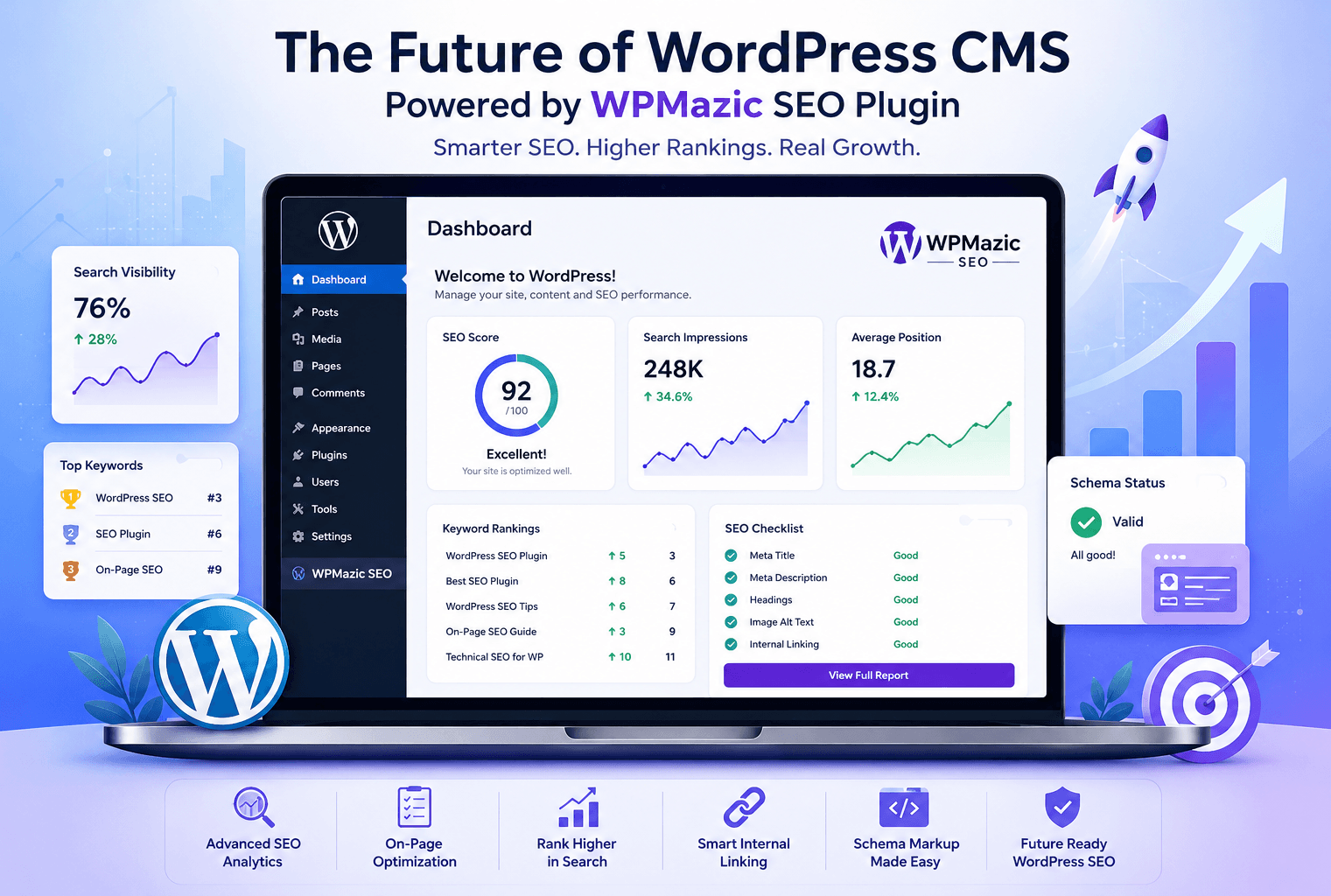
WordPress is no longer just a blogging tool—it is the backbone of more than forty percent of websites worldwide and continues to evolve into a powerful, intelligent business platform.
At the same time, search engines have become more demanding, rewarding sites that load fast, structure content clearly, and demonstrate real expertise, authority, and trust.
If you want to grow traffic, leads, and sales from Google, you need a CMS that understands SEO—and an SEO plugin that understands how you work.
In this in-depth guide, you will see where WordPress is heading as a CMS, why it still remains one of the best platforms for SEO when configured correctly, and how the WPMazic SEO plugin helps beginners, developers, and business owners build a practical, future-proof SEO workflow inside WordPress.
By the end, you will have a clear roadmap to turn your WordPress site into a search engine magnet using simple steps, smart tools, and a sustainable strategy.
WordPress Today: What WordPress Looks Like in 2026
WordPress still powers more than forty percent of the web in 2026, and it is actively evolving to meet new demands around performance, security, and structured content.
Full Site Editing, block patterns, and smarter site editors now allow teams to design and manage complete websites without heavy custom code, while still giving developers deep control when needed.
Enterprise teams increasingly rely on WordPress as a central content hub, connecting it to other services through APIs while keeping editorial workflows and content ownership inside WordPress.
This hybrid approach—using WordPress as the core CMS but integrating with modern front‑ends where necessary—creates a flexible yet stable foundation for long‑term SEO growth.
The Future of WordPress as a CMS
From Simple CMS to Business Platform
Modern roadmaps and industry analysis show WordPress shifting from a pure content management system to a broader business platform that can handle commerce, memberships, learning content, and complex editorial workflows.
This evolution is driven by demand from agencies and enterprises who want one central hub for content, data, and capabilities, rather than fragmenting their stack across many tools.
Future versions of WordPress focus heavily on collaboration, data portability, and intuitive site management, meaning teams can work together on content, design, and SEO inside a single interface.
For you, this translates into faster implementation of SEO strategies, fewer technical blockers, and a smoother path from idea to published, optimized content.
Hybrid Headless and Intelligent Capabilities
Developers increasingly use WordPress in a hybrid way: classic pages and templates for most content, but API‑driven experiences for specific high‑performance sections.
This “hybrid headless” pattern allows WordPress to feed data into modern front‑ends while still benefiting from its editorial strengths and plugin ecosystem.
New capability APIs and smarter automation tools inside WordPress are making routine tasks—such as generating reports, checking inventory, or reviewing SEO changes—more integrated with the CMS workflow itself.
In practice, this means your SEO plugin can access more structured information about your site and content, allowing it to make better decisions and provide more accurate guidance.
Why WordPress and SEO Work So Well Together
SEO‑Friendly Structure by Design
WordPress offers clean, search‑friendly URLs, customizable title tags and meta descriptions, and a logical hierarchy of posts, pages, categories, and taxonomies, which are all critical for SEO.
Editors can easily control headings, slugs, and internal links inside the editor, making it straightforward to implement on‑page best practices.
The platform also integrates smoothly with analytics and search tools such as Google Analytics and Google Search Console, giving you visibility into performance, user behavior, and technical issues that affect rankings.
When combined with a capable SEO plugin, WordPress becomes a practical environment for continuous optimization and experimentation.
Plugins That Turn SEO Theory into Workflow
Many popular SEO guides point out that WordPress is “good for SEO when configured correctly” and stress that plugins are most useful when they serve a clear workflow rather than just adding features.
That is why modern plugins focus on content analysis, structured data, redirects, internal linking, and performance hints, rather than only filling in meta fields.
Plugins like WPMazic SEO Lite and WPMazic SEO Pro are part of this new wave, offering modular SEO features that can be turned on or off while keeping the site lightweight and fast.
Instead of using separate tools for sitemaps, schema, redirects, and basic analysis, these plugins aim to handle the full SEO workflow inside WordPress.
Common SEO Challenges on WordPress Sites
Plugin Conflicts and Bloat
One of the biggest problems on WordPress sites is running multiple overlapping SEO plugins that try to manage meta tags, schema, sitemaps, and canonical URLs at the same time, causing conflicts and duplicate markup.
This can confuse search engines, slow down your site, and lead to indexing issues that are difficult to diagnose.
Heavy plugins with constant scans, link monitoring, and automated crawlers can also put extra load on your server, harming performance and Core Web Vitals scores.
Since page speed is an important ranking factor, using bloated tools can reduce the benefits of good content and technical optimization.
Unstructured Content and Weak Internal Linking
Many WordPress websites are built without a clear content architecture: categories do not match search intent, URL structures are inconsistent, and internal links are added randomly rather than supporting topic clusters.
This lack of structure makes it harder for search engines to understand what the site is about and which pages are most important.
Agencies and SEO specialists increasingly emphasize that WordPress performs best when its templates, taxonomies, and internal linking patterns are shaped around SEO strategy from the beginning, instead of treating SEO as an afterthought.
The right plugin can help enforce consistent patterns and highlight orphan pages, duplicate titles, and cannibalization issues.
Meet WPMazic SEO Plugin: All‑in‑One SEO Platform for WordPress
What Is WPMazic SEO?
WPMazic SEO is a modular, all‑in‑one SEO plugin designed specifically for WordPress sites that need strong technical SEO, structured data, automation, and a clean, performance‑focused codebase.
It combines on‑page optimization tools, schema management, XML sitemaps, redirects, robots control, and analytics‑focused insights into a single platform.
Unlike many older SEO plugins that have grown heavy over time, WPMazic SEO is deliberately built to be lightweight, with minimal impact on page load speed and no unnecessary tracking bloat.
Its modular system lets you enable only the features you need, keeping your site fast while still providing everything required for serious SEO work.
Key Features at a Glance
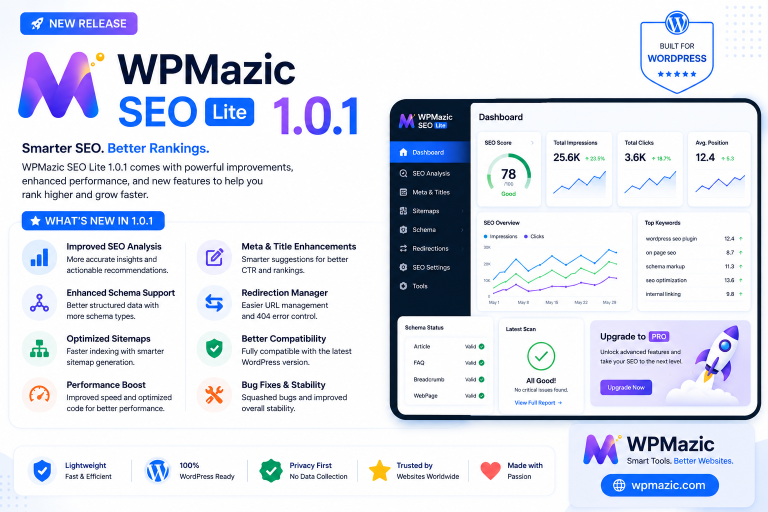
- Meta title and description control for posts, pages, and custom post types.
- Focus keyword optimization and content readability analysis to guide on‑page improvements.
- Automatic XML sitemap generation with smart updates for new and changed content.
- Schema markup support for articles, products, breadcrumbs, FAQs, local business, and more.
- Redirect manager (301/302) plus 404 monitoring to fix broken links and preserve link equity.
- Robots.txt and index control to prevent duplicate content and control crawling.
- SEO analysis tools that detect duplicate titles/meta, orphan pages, and cannibalization issues.
- Bulk SEO editor for faster updates to titles and descriptions across many posts.
- Import/export and migration wizard for smooth transitions from other SEO plugins.
- Role‑based SEO access so teams can collaborate without risking accidental changes.
Real‑world case studies and user reports show that switching from older, heavier plugins to WPMazic SEO can significantly improve page load speed, reduce conflicts, and simplify the client dashboard.
In one example, sites saw page load times drop from 4.2 seconds to 1.8 seconds while improving SEO scores on nearly ninety percent of pages.
How WPMazic Helps Beginners Improve SEO
Guided Setup and Simple Interface
WPMazic SEO Lite, the free version, includes a setup wizard that helps beginners configure fundamental SEO options quickly without needing external accounts or complex integrations.
This wizard covers basic meta settings, indexing preferences, and sitemap configuration, giving new site owners a solid starting point.
The plugin interface is designed to be clear and concise, with page‑level SEO panels that match how non‑technical users think: focus keyword, title, description, readability, and visibility.
As you write content, real‑time suggestions and scoring help you adjust headings, keywords, and length for better search performance.
Safe Defaults and Performance Focus
Many small sites only need core features such as meta tags, sitemaps, basic schema, and simple redirects, and WPMazic’s free and base modules cover these without unnecessary extras.
Beginners can start with these fundamentals and upgrade to advanced features like detailed schema or bulk editing only when they truly need them.
Because WPMazic is built to minimize bloat and avoid conflicts, beginners are less likely to break their site accidentally with overlapping functionality or heavy modules.
This encourages experimentation with SEO settings while keeping site health and performance under control.
How WPMazic Helps Developers and Agencies
Developer‑Friendly Architecture
Developers and agencies are a core audience for WPMazic, which is why the plugin features a clean architecture and extensible modules that integrate well with custom themes and plugins.
This modular design allows technical teams to hook into WPMazic’s functionality and build custom workflows around it, including SaaS integrations and enterprise setups.
Modern WordPress trends highlight the importance of using the CMS as a central content engine while layering modern frameworks via interactivity APIs in selected areas, and WPMazic fits into this pattern by exposing SEO‑related controls without locking you into any single front‑end approach.
Developers can keep their stack lean while still giving editors powerful tools to manage rankings and visibility.
Enterprise‑Ready SEO Workflow
For agencies managing multiple client sites, WPMazic’s bulk SEO editor, migration wizard, and role‑based access help enforce consistency across projects and reduce manual repetitive work.
Teams can standardize title patterns, schema types, and index rules at scale while leaving room for site‑specific customization.
The plugin’s focus on Core Web Vitals and performance insights aligns with current enterprise expectations for WordPress, where speed, stability, and clean markup are considered baseline requirements.
By using one plugin instead of several overlapping tools, developers reduce maintenance overhead and increase reliability.
How WPMazic Helps Business Owners Turn SEO into Sales
From Traffic to Leads and Revenue
Business owners care less about individual technical settings and more about whether SEO leads to visible traffic growth, qualified leads, and real sales.
WPMazic supports this focus by connecting content optimization, structured data, and performance improvements directly to search visibility and click‑through opportunities.
By generating rich snippets through schema, improving meta titles for higher CTR, and reducing technical barriers like broken links and duplicate pages, businesses can capture more of the demand already present in search results.
Combined with analytics‑friendly features, WPMazic helps business owners see which pages are driving results and where to invest further content and optimization efforts.
Simple Dashboards and Clear Insights
Reviews from consultants moving clients to WPMazic emphasize how its dashboard and page‑level views are easier for non‑technical owners to understand compared to older plugins overloaded with settings.
This clarity increases adoption and ensures that basic SEO tasks—such as updating titles, fixing redirects, or adjusting index rules—actually get done.
When combined with a structured content plan and regular reporting from tools like Search Console, WPMazic becomes not just a plugin but the operational backbone of SEO efforts inside the business.
This alignment between CMS, plugin, and strategy is crucial for long‑term success.
Step‑by‑Step Guide: Setting Up WPMazic SEO on Your WordPress Site
Step 1: Install and Activate WPMazic SEO
- Log in to your WordPress admin dashboard.
- Go to Plugins > Add New.
- Search for “WPMazic SEO Lite” and click Install, then Activate.
- For WPMazic SEO Pro, download the plugin from WPMazic SEO Pro page and upload it via Plugins > Add New > Upload Plugin.
Step 2: Run the Setup Wizard
- After activation, WPMazic will prompt you to start the setup wizard.
- Select your site type (blog, business site, e‑commerce, etc.) and basic SEO goals (traffic, leads, sales).
- Configure global title patterns (for example: Post Title | Brand Name).
- Enable automatic XML sitemaps and set index preferences for posts, pages, and archives.
- Choose whether to import settings from a previous SEO plugin, if you are migrating.
Step 3: Enable Only the Modules You Need
Inside the WPMazic settings, you will see modules for on‑page optimization, schema, redirects, sitemaps, robots control, analysis, and more.
Turn on the modules you know you need today and leave others off to keep the site lightweight; you can enable them later as your SEO strategy grows.
Step 4: Configure Core Technical Settings
- Set your preferred permalink structure (usually /%postname%/ for clean URLs).
- Confirm your XML sitemap URL and submit it in Google Search Console.
- Adjust robots.txt rules for key sections (allow important content; disallow admin areas and thin pages).
- Configure default index/noindex rules for tag pages, author archives, and search result pages.
- Set up basic redirects for known outdated URLs and broken links using the redirect manager.
Your On‑Page SEO Workflow with WPMazic
Planning Content Around Search Intent
Before writing, identify the main search intent for each topic: informational (learn), transactional (buy), or navigational (find a brand).
Map these intents to content types—blog posts, product pages, guides, or landing pages—and plan your headings and URL structure accordingly.
WordPress categories and custom taxonomies should align with your main themes, while WPMazic’s page‑level SEO fields help ensure each piece of content stays focused on one clear topic.
This combination makes your site easier to crawl and understand, increasing the chance of ranking for relevant queries.
Optimizing Titles, Descriptions, and Headings
Inside each post or page, WPMazic adds a dedicated SEO section where you can set a custom meta title, meta description, and focus keyword.
Aim for titles that include the focus keyword, promise a specific benefit, and stay within recommended length for search results.
Use one clear H1 per page, followed by logical H2 and H3 headings that guide readers and search engines through the content.
WPMazic’s analysis helps you balance keyword density naturally, avoiding both stuffing and under‑optimization.
Voice Search and Featured Snippet Optimization
To optimize for voice queries and featured snippets, include concise question‑and‑answer sections, bullet lists, and short definitions near the top of important pages.
Use WPMazic’s FAQ schema and structured data to help search engines recognize these sections as rich result candidates.
Focus on natural language that matches how users ask questions aloud, such as “How do I speed up my WordPress site?” or “What is the best SEO plugin for WordPress?”
This approach increases your chances of being selected as a spoken answer or a highlighted snippet.
Technical SEO: Speed, Sitemaps, Robots, and Index Control
Performance and Core Web Vitals
Reports from 2026 emphasize that WordPress must be configured with performance in mind, as Core Web Vitals now play a crucial role in search rankings.
This means lightweight themes, minimal plugin bloat, optimized media, and careful management of scripts and styles.
WPMazic’s performance‑focused design helps avoid additional overhead while still providing features like analysis and sitemaps, and users have seen measurable speed improvements after switching from heavier plugins.
Combine WPMazic with caching, image compression, and a strong hosting setup to achieve competitive load times.
XML Sitemaps and Crawl Control
XML sitemaps show search engines the key URLs on your site and help them discover new content faster, especially on large or frequently updated sites.
WPMazic automatically generates and updates sitemaps for posts, pages, and custom post types, making configuration simple.
At the same time, using robots.txt and index rules allows you to block low‑value sections and thin content from being crawled or indexed, so search engines focus on your high‑quality pages.
This improves crawl efficiency and keeps your site’s index clean and purposeful.
Schema, Rich Results, and Featured Snippets
Why Schema Matters for Modern SEO
Schema markup (structured data) helps search engines understand the type of content on a page—articles, products, FAQs, recipes, local businesses—and can trigger rich results such as stars, images, and expandable FAQ boxes.
These rich displays usually increase click‑through rates and strengthen perceived authority in search results.
WPMazic SEO Pro includes an advanced schema builder that supports articles, products, FAQ, local business, breadcrumbs, and more, allowing you to add and customize structured data without hand‑coding JSON‑LD.
You can configure defaults by post type and override schema for specific pages when needed.
Creating FAQ‑Rich Results
Adding FAQ sections to important pages helps answer common questions directly and can earn FAQ rich results in search.
WPMazic makes this process straightforward by tying FAQ blocks in the content editor to schema output, so the backend and frontend stay in sync.
Later in this article, you will find a full FAQ section along with JSON‑LD schema that you can copy and adapt for your own site, aligning content and technical markup for maximum impact.
Internal Linking, Content Architecture, and Silos
Why Structure Is SEO
Expert agencies stress that WordPress structure—categories, taxonomies, custom fields, and templates—directly shapes how search engines crawl and understand your site.
When content architecture matches search intent, internal linking naturally supports topic clusters and improves visibility.
WPMazic’s analysis tools help detect orphan pages and weak linking paths, allowing you to create stronger connections between related posts, guides, and product pages.
By building silos—groups of content around a topic—you can signal depth and relevance to search engines more effectively.
Internal Linking Suggestions
Although the internal linking suggestion feature is still evolving conceptually, WPMazic’s roadmap and analysis features already push users to review and reinforce internal links where they matter most.
Combining automated hints with manual editorial judgement leads to a clean, purposeful linking structure that supports both SEO and user experience.
Core Web Vitals, Performance, and WordPress Themes
Design Choices That Influence SEO
Guides on WordPress in 2026 highlight that design and engineering decisions—theme choice, number of plugins, media handling, and HTML cleanliness—have as much impact on SEO as keyword research.
A fast, stable, responsive theme reduces layout shifts and interaction delays, making it easier to meet Core Web Vitals thresholds.
Using WPMazic alongside a performance‑minded theme allows you to control SEO elements without adding unnecessary visual overhead or scripts.
This balance between design flexibility and technical discipline is key for sustainable rankings.
Pros and Cons of WPMazic SEO Plugin
| Aspect | Pros | Cons |
|---|---|---|
| Performance | Lightweight, modern codebase; users report significantly faster load times after switching from heavier plugins. | Advanced features still require careful configuration to avoid unnecessary overhead on very large sites. |
| Features | All‑in‑one toolkit: meta, schema, sitemaps, redirects, robots, analysis, bulk editing, and migration. | New users may feel overwhelmed if they enable too many modules at once; best used with a clear plan. |
| Ease of Use | Setup wizard and clear page‑level panels make SEO approachable for beginners. | Some advanced options are more tailored to developers and agencies, requiring documentation and learning time. |
| Developer Support | Clean architecture, extensible modules, and API‑friendly design suitable for custom and SaaS integrations. | Developers migrating from legacy plugins may need to adjust to new workflows and naming conventions. |
| Business Impact | Focus on real SEO outcomes: visibility, CTR, rich results, and performance improvements reported by consultants. | Like any SEO tool, results depend on content quality and overall strategy; the plugin is not a shortcut without effort. |
Useful Tools and Resources for WordPress SEO
- Google Search Console – Monitor indexing, search queries, and technical issues that affect visibility.
- Google Analytics – Understand user behavior, conversion paths, and content engagement.
- PageSpeed Insights / Lighthouse – Measure Core Web Vitals and performance metrics for your WordPress pages.
- WPMazic SEO Lite / Pro – Centralize your WordPress SEO workflow with modular features.
- Structured Data Testing Tools – Validate schema output generated by your plugin and theme.
- Content Planning Sheets – Plan categories, topic clusters, and search intents before creating new posts.
WordPress SEO Checklist (Ready to Use)
Use this checklist before publishing or updating important pages:
- Define the main search intent and focus keyword for the page.
- Write a clear, benefit‑driven title that includes the focus keyword.
- Craft a compelling meta description within 150–160 characters, encouraging clicks.
- Use one H1 and logical H2/H3 subheadings that reflect the topic structure.
- Ensure natural keyword usage throughout the content, avoiding stuffing.
- Add internal links to related guides, products, or service pages.
- Check for at least one external link to a credible authority source where relevant.
- Configure schema markup appropriate to the content type using WPMazic SEO.
- Verify that the page is included in the XML sitemap.
- Test the page’s performance and Core Web Vitals using PageSpeed Insights.
Internal Linking Ideas for WPMazic.com
Core Pages to Link From and To
The WPMazic website focuses on premium WordPress plugins for SEO, admin management, and performance, making it a natural hub for content around technical optimization and productivity.
Here are some internal linking ideas to strengthen authority and conversions:
- From this article, link to the WPMazic SEO Pro product page whenever you mention “all‑in‑one SEO platform for WordPress,” driving readers from education to evaluation.
- Link to the WPMazic homepage (https://wpmazic.com/) when discussing the WPMazic brand or other plugin categories, reinforcing brand awareness.
- Create and link to a “WordPress SEO Guides” hub page that lists tutorials like “WordPress SEO in 2026,” “Core Web Vitals for WordPress,” and “Structured Data with WPMazic SEO,” then link back from each guide to the WPMazic SEO product page.
- Add internal links from plugin documentation pages (setup, migration, schema builder) to relevant blog posts explaining the strategy behind each feature, and vice versa.
- Link from case study posts (for example, speed improvements after switching to WPMazic SEO) to a dedicated “Results” or “Success Stories” page, and from there to the pricing/plan sections.
Anchor Text Suggestions
- “all‑in‑one WordPress SEO plugin” → WPMazic SEO Pro page.
- “lightweight SEO plugin for WordPress” → product page or comparison post (e.g., WPMazic vs AIOSEO).
- “WordPress SEO workflow” → detailed guide on using WPMazic for technical SEO and content optimization.
- “Core Web Vitals for WordPress sites” → performance‑focused tutorial that references WPMazic’s impact.
Frequently Asked Questions: WordPress SEO & WPMazic
1. Is WordPress still good for SEO in 2026?
Yes, WordPress remains a strong platform for SEO when configured correctly, with clean URLs, customizable meta tags, structured content, and integration with modern performance and analytics tools.
2. Why do I need an SEO plugin if WordPress is already SEO‑friendly?
WordPress provides a good foundation, but an SEO plugin like WPMazic adds practical tools for meta control, schema, sitemaps, redirects, analysis, and index management, turning theory into a repeatable workflow.
3. What makes WPMazic SEO different from older plugins?
WPMazic focuses on modern performance, modular features, and a developer‑friendly architecture, avoiding legacy bloat and overlapping settings that many older plugins suffer from.
4. Can beginners use WPMazic SEO effectively?
Yes, WPMazic SEO Lite includes a setup wizard and simple page‑level SEO fields, making it accessible for beginners who want a safe, guided introduction to WordPress SEO.
5. Does WPMazic support schema markup and rich results?
WPMazic SEO Pro offers an advanced schema builder covering articles, products, FAQs, local businesses, breadcrumbs, and more, helping your site earn rich results in search.
6. How does WPMazic impact site speed?
WPMazic is designed to be lightweight, and consultants have reported faster load times and fewer conflicts after replacing heavier plugins with WPMazic on multiple client sites.
7. Can WPMazic handle redirects and 404 errors?
Yes, WPMazic includes a redirect manager with support for 301 and 302 redirects, plus tools to monitor and fix 404 errors to preserve SEO value and improve user experience.
8. Is WPMazic suitable for agencies and developers?
Absolutely; its clean architecture, bulk SEO editor, migration tools, and role‑based access make it particularly attractive to agencies managing multiple sites and to developers building custom solutions.
9. Do I need both WPMazic SEO Lite and Pro?
You can start with WPMazic SEO Lite for fundamentals and upgrade to Pro when you need advanced schema, detailed analysis, bulk editing, and enterprise workflows; you do not need to run both at the same time.
10. How often should I update my WordPress SEO settings?
Review global settings whenever you change your site structure or strategy, and revisit page‑level SEO fields when updating content, adding new sections, or targeting new keywords.
11. Will WPMazic conflict with my existing theme or plugins?
WPMazic is built to minimize conflicts, and user case studies highlight that it works smoothly alongside other well‑coded plugins and modern themes; however, you should still avoid running multiple SEO plugins simultaneously.
12. Does WPMazic require external accounts?
WPMazic SEO Lite does not require external accounts and can be configured entirely inside WordPress, which simplifies onboarding for small sites.
13. How can WPMazic help with leads and sales, not just traffic?
By improving search visibility, rich results, and site performance, WPMazic increases qualified visits, and its alignment with structured content and analytics helps you identify and amplify pages that drive conversions.
Summary and Key Takeaways
- WordPress is evolving into a flexible, business‑ready CMS that can support hybrid architectures, collaborative workflows, and performance‑driven sites.
- When structured correctly, WordPress remains one of the best platforms for SEO, thanks to its clean URLs, editable meta tags, and powerful plugin ecosystem.
- WPMazic SEO offers a modern, modular, all‑in‑one approach that replaces multiple older plugins while keeping sites fast and easy to manage.
- Beginners get guided setup and simple dashboards, developers get a clean architecture and tools for scale, and business owners see clearer connections between SEO efforts and real outcomes.
- Combining WordPress, WPMazic, and a disciplined content and internal linking strategy creates a robust foundation for traffic, leads, and long‑term growth.
Call to Action: Your Next SEO Move
If you are running a WordPress site and want to prepare for the future of SEO while growing traffic, leads, and sales, start by structuring your content around search intent and cleaning up your technical foundation.
Then install WPMazic SEO Lite or Pro, configure the essential modules, and gradually build a workflow that turns every new page into a well‑optimized asset instead of just another post.
Visit WPMazic SEO Pro to explore features, documentation, and case studies, and use this guide as an ongoing reference when shaping your WordPress CMS and SEO strategy for the years ahead.