Article Guide
Use these jump points to move through the article faster.
If you’ve been following WPMazic SEO Lite, you know we launched version 1.0.0 with a clear mission: build the fastest, most complete free SEO plugin for WordPress — without the bloat, without the tracking, and without the $69/year price tag.
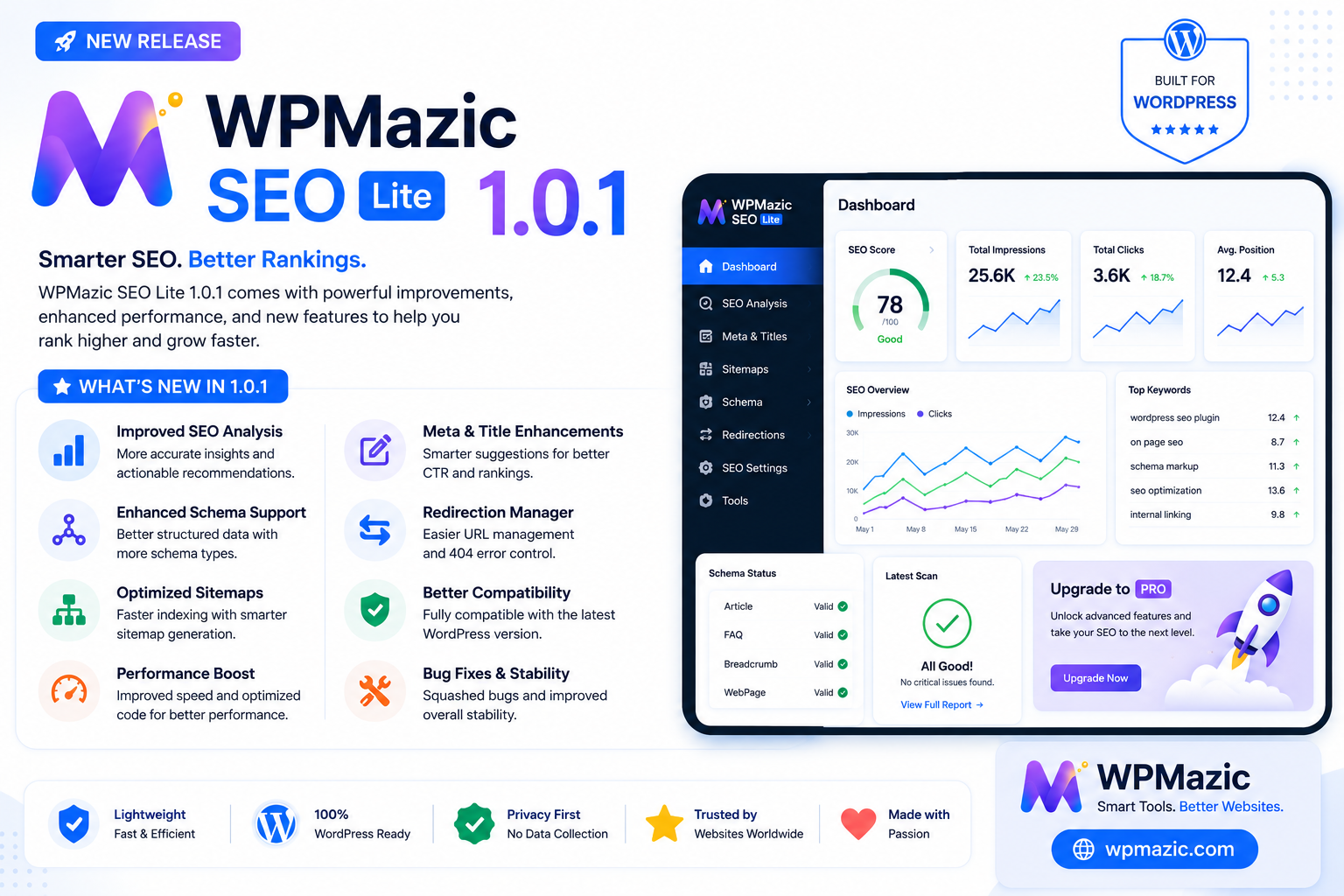
Today, I’m proud to announce version 1.0.1.
This release adds five major new features, fixes a bugs, and makes the plugin genuinely more useful for everyone — whether you’re a blogger running a single site or an agency managing dozens.
What’s New in 1.0.1
1. SEO Content Score (Real-Time 0–100 Analysis)
Writing for search engines is a balancing act. Your title needs to be the right length. Your meta description needs to include the keyword. Your content needs enough depth. The SEO Content Score brings all of this into one place — right inside the WordPress post editor.
When you’re editing a post or page, the WPMazic metabox now shows a real-time SEO score badge. The score is calculated from four factors:
- Title quality (30 points): Is your SEO title between 40 and 60 characters? That’s the Google sweet spot. Shorter gets partial credit. Empty gets zero.
- Description quality (25 points): Is your meta description between 120 and 160 characters? This is where most clicks come from, so we weight it heavily.
- Keyword usage (25 points): Does your focus keyword appear in the title AND the content? Both gets full marks. Title-only gets partial. Neither gets flagged.
- Content length (20 points): 600+ words gets full credit. 300–599 gets partial. Under 300 gets flagged.
The score updates in real time as you type — no save required. A green badge means you’re in good shape (70+). Yellow means needs improvement (40–69). Red means poor (below 40).
This isn’t a replacement for your editorial judgment. It’s a safety net — a quick way to catch obvious SEO issues before you hit publish.
What’s next: The Pro version adds keyword density scoring, readability metrics (passive voice, sentence length, transition words), and detailed per-check recommendations.
2. Auto Internal Linking Engine
Internal Links are one of the most underused SEO levers. Every link you add passes authority (link equity) between your pages, helps search engines discover content, and keeps readers on your site longer.
But manually adding internal links to every post is tedious. So we automated it.
The Auto Internal Linking engine lets you define keyword-to-URL rules in your settings. How it works:
- Go to WPMazic SEO → Settings → Auto Internal Link Rules
- Add a rule: keyword “SEO plugins” → URL “https://yoursite.com/seo-plugins/”
- Save
- From now on, any new post containing the phrase “SEO plugins” will automatically get a contextual link to that URL
The engine is smart about it:
- It only links the first occurrence of each keyword per post
- It won’t link text that’s already inside an HTML anchor tag
- It won’t create a link to the same page the reader is already on
- It matches case-insensitively
Lite limits: 3 links per post, 5 rules total. This is generous enough to be genuinely useful — most blogs won’t hit these limits unless they’re scaling aggressively.
Pro: Unlimited links per post, unlimited rules.
How the Auto Linking Algorithm Works
The system uses PHP’s preg_replace with a limit of one replacement per rule, and it stops processing once the per-post limit is reached. This ensures performance is not impacted by a large number of rules:
- The plugin checks if the current page is a singular post view
- It loads the defined keyword-to-URL rules from settings
- For each rule, it searches the post content for the keyword using a case-insensitive word-boundary regex
- If found, it wraps the first occurrence in an anchor tag linking to the target URL
- It skips keywords already inside HTML anchor tags, preventing nested links
- It skips rules where the target URL matches the current post’s URL, preventing self-links
Best Practices for Keyword Selection
- Use topic-based keywords, not branded terms. “SEO plugins for WordPress” is a better target than “click here”
- Link to your cornerstone content — your most important articles, guides, and product pages
- Avoid linking the same keyword in every post. Vary your anchor text
- Keep target URLs relevant to the keyword
- Review your rules periodically. Outdated links hurt user experience
3. HTML Sitemap Shortcode
XML sitemaps are for search engines. HTML sitemaps are for people.
An HTML sitemap is a browsable, human-readable page that lists all your important content. It helps visitors find what they’re looking for and gives search engines additional internal linking pathways.
Usage is simple: add. [\wpmazic_html_sitemap\] to any page or post. The shortcode renders a clean, two-column grid of linked content organized by post type:
- Lite: Shows up to 50 items
- Pro: Unlimited items with taxonomy sections
4. Blog Enhancements (Reading Time + Author Bio Box)
Two small but impactful additions that improve reader engagement and E-E-A-T signals:
- Estimated Reading Time: An “X min read” badge appears automatically at the top of single post pages. It’s calculated from word count assuming 200 words per minute average reading speed.
- Author Bio Box: At the bottom of each post, readers now see the author’s avatar, display name, and biography. This builds trust and establishes expertise.
Both features are enabled by default but can be toggled off individually in Settings.
Lite: Basic styling, works as-is.
Pro: Customizable templates with multiple layout options, background colors, and social media link displays.
5. Search Engine Ping (Google + Bing)
When you publish a new post, you want search engines to find it as quickly as possible. The Search Engine Ping feature does exactly that — it automatically sends a ping to Google and Bing with your sitemap URL.
Lite: Pings only for brand-new posts.
Pro: Pings on every post update, not just new publications.
Bug Fixes in 1.0.1
Beyond the new features, we fixed several issues reported by users:
XML Sitemap Conflict with WordPress Core
WordPress 5.5 introduced built-in sitemaps at /wp-sitemap.xml. The plugin’s custom sitemap at /sitemap.xml was conflicting with the core version — WordPress was redirecting the URL to its own sitemap. In 1.0.1, the plugin now properly disables WordPress core sitemaps when the WPMazic sitemap is active. No more redirects, no more confusion.
Rewrite Rules Not Persisting
Several endpoints (image sitemap, IndexNow key file, Dynamic OG image, and llms.txt) rely on custom WordPress rewrite rules. These rules weren’t being properly flushed during plugin activation because the feature classes weren’t instantiated yet when the flush ran. We centralized all rewrite rule registration into the main plugin file and ensured they’re registered before the flush during activation. The result: all endpoints resolve correctly now.
Schema Type for Static Front Pages
If your site uses a static page as the front page, the schema markup was incorrectly outputting Article type. A static page is not an article — it’s a WebPage. This is now fixed.
Migration Wizard 403 Error
Admin users were seeing a “403 Not Allowed” error when accessing the Migration Wizard page. The issue was caused by a combination of the submenu page being removed from the admin menu and a redundant capability check at the template level. Both issues are resolved.
SQL Query Hardening
Two database queries were running without $wpdb->prepare(). Both now use properly prepared statements, making them fully compliant with WordPress coding standards.
Frontend Styles Moved from Inline to CSS
The Reading Time badge and Author Bio Box were using inline styles hardcoded in PHP. These have been moved to the plugin’s CSS file, making them easier to customize and keeping the markup clean. This also makes the plugin more compliant with WordPress theme and plugin development best practices, since inline styles can interfere with theme styling and are harder to override.
Admin UI Improvements in 1.0.1
Beyond the feature additions and bug fixes, version 1.0.1 includes several quality-of-life improvements to the admin interface:
Pro Features Comparison Page
There’s now a dedicated admin page at WPMazic SEO → Pro Features that shows a comprehensive side-by-side comparison of what’s available in Lite versus Pro. The table covers 35 feature rows including auto internal links, HTML sitemap limits, SEO score depth, schema types, video sitemaps, news sitemaps, WooCommerce SEO, hreflang, URL controls, SEO revisions, AI tools, rank tracking, and more.
This page is designed to be a helpful reference — not a hard sell. You can see exactly what you’re getting in Lite and what additional capabilities are available if your needs grow. Each limited feature in Lite shows the specific limit (e.g., “3 links per post, 5 rules”) so there are no surprises.
Table Column Widths
The Redirect Manager and 404 Monitor tables now have defined column widths, making them easier to read — especially on wide monitors and ultrawide displays. The source URL and target URL columns get more space, while numeric columns like hits and type get compact widths.
Dashboard Migration Card
If you have an active SEO plugin from our supported list (Yoast, Rank Math, AIOSEO, etc.) and haven’t run the migration yet, the Dashboard now shows a reminder card with a direct link to the Migration Wizard. This makes it impossible to miss the import option after activation.
Persistent Migration Notice
A new admin notice appears on all admin pages when a supported SEO plugin is detected and migration hasn’t been completed. Unlike the one-time activation redirect (which only fires immediately after activation), this notice stays visible until you either run the migration or dismiss it. Combined with the migration badge count on the Migration Wizard menu item, there’s no way to miss the opportunity to import your existing SEO data.
The Strategy Behind These Features
Every feature in 1.0.1 was chosen for one reason: it helps you rank higher with less effort.
- The SEO Content Score reduces the time you spend second-guessing your meta tags
- The Auto Internal Links engine eliminates the manual work of building internal links
- The HTML Sitemap gives you a quick win for internal linking and user navigation
- The Search Ping gets you indexed faster
- The Reading Time badge and Author Box improve engagement signals
We’re not adding features for the sake of filling a changelog. Every addition has a measurable impact on either search visibility or user experience.
WordPress SEO Strategy — How WPMazic Addresses Each Area
Search engine optimization for a WordPress site can be broken down into four pillars. Here’s how WPMazic SEO Lite addresses each one:
Pillar 1: Technical Foundation
This covers everything that tells search engines your site exists and how to crawl it.
- XML Sitemap: Complete sitemap at
/sitemap.xmlwith post-type filtering - Image Sitemap: Separate sitemap at
/image-sitemap.xmlfor image discovery - Canonical URLs: Self-referencing canonical on every page
- Robots.txt: Built-in editor for crawl control
- IndexNow: Instant search engine notification on content change
- Search Engine Ping: Google and Bing notification on new posts
Pillar 2: On-Page Optimization
Optimizing individual pages for specific topics and keywords.
- Title and Meta Tags: Full control with template variables
- Focus Keyword: Per-post tracking with SEO Content Score feedback
- Schema Markup: JSON-LD for articles, products, FAQs, local business, and more
- Open Graph and Twitter Cards: Social media preview control
- Breadcrumbs: Schema-powered navigation
Pillar 3: Content and Engagement
Search engines increasingly measure user engagement signals.
- Reading Time Badge: Helps readers commit to your content
- Author Bio Box: Establishes expertise and trust (E-E-A-T signals)
- SEO Content Score: Write better optimized content
- Auto Internal Links: Keeps readers on your site longer
Pillar 4: Monitoring and Maintenance
SEO isn’t a one-time setup — it requires ongoing attention.
- 404 Monitor: Track broken URLs and crawl waste
- Redirect Manager: Fix broken URLs and preserve link equity
- Security Tools: Block bad bots, hide WordPress version, disable XML-RPC
- Migration Wizard: Import from any other SEO plugin when switching
Competitor Comparison
WPMazic SEO Lite vs Yoast SEO
Yoast is the industry standard with 10+ million active installs, but its free tier has been shrinking. Yoast Free includes readability analysis, schema, and breadcrumbs — but redirects, 404 monitoring, internal linking, and image SEO are all locked behind a $99/year subscription. WPMazic Lite includes all of these for free.
Where Yoast still holds an edge is its mature readability analysis — the traffic light system for sentence length, passive voice, and transition words is well-polished. This is something we plan to address in a future Pro update. However, for the vast majority of WordPress sites, WPMazic Lite’s SEO Content Score provides a simpler, more action-oriented feedback loop that covers the most impactful optimization factors: title quality, description length, keyword usage, and content depth.
WPMazic SEO Lite vs Rank Math
Rank Math is the most generous free SEO plugin — it includes WooCommerce SEO, Google Search Console integration, 404 monitoring, redirects, and 16+ schema types at no cost. This sets a high bar, and we respect what they’ve built.
WPMazic Lite matches Rank Math on most core features: redirects, 404 monitoring, schema markup, breadcrumbs, XML sitemaps, image sitemaps, IndexNow, and robots.txt management. Where WPMazic Lite differentiates itself is in areas Rank Math’s free tier doesn’t cover:
- Security tools: Bad bot blocker with customizable signatures, security headers, XML-RPC disable, WordPress version hiding, and author enumeration blocking — none of these exist in Rank Math free
- Blog enhancements: Reading time badge and author bio box are unique to WPMazic
- Search engine ping: Automatic Google and Bing ping on new posts
- Auto internal linking: Rule-based keyword-to-URL linking with smart avoidance of existing links and self-references
- HTML sitemap: Dedicated shortcode for human-readable sitemap pages
- SEO Content Score: Real-time 0–100 scoring in the post editor
The main gaps are WooCommerce SEO and Google Search Console integration — both of which are high on our roadmap.
WPMazic SEO Lite vs AIOSEO
AIOSEO (All in One SEO) has 3+ million active installs and offers a robust free tier. Their TruSEO analysis, redirect manager, Local SEO, and breadcrumbs are solid implementations. They also offer a Link Assistant and internal linking suggestions, which is a feature we’ve implemented in a different way — WPMazic’s Auto Internal Links uses declarative rules rather than suggestions, which some users find more predictable.
WPMazic Lite matches AIOSEO’s free feature set and adds the SEO Content Score’s unique scoring system, blog enhancements, security tools, and search engine ping. AIOSEO’s advantage is its ecosystem — they have more add-ons and a larger community. But for a standalone free SEO plugin, WPMazic Lite holds its own comfortably.
WPMazic SEO Lite vs SEOPress
SEOPress is another strong competitor with 300,000+ active installs. Its free tier is notable for including white labeling (the ability to remove plugin branding), Google Analytics integration, and redirections — features that many other plugins reserve for paid plans.
WPMazic Lite matches SEOPress on core functionality and adds the SEO Content Score, auto internal linking, HTML sitemap, and blog enhancements. SEOPress’s white label feature is unique in the free space, but WPMazic’s security toolset (bad bot blocker, security headers) gives it an edge for users who prioritize site hardening alongside SEO.
The Bottom Line
No single free SEO plugin does everything. Each has strengths and trade-offs:
- Choose Yoast if you need mature readability analysis and don’t mind paying $99/year for redirects and advanced features
- Choose Rank Math if you need Google Search Console and WooCommerce SEO in the free tier
- Choose AIOSEO if you want detailed content analysis with the TruSEO system
- Choose SEOPress if white labeling out of the box is important to you
- Choose WPMazic SEO Lite if you want a fast, modern plugin with unique features like real-time SEO scoring, auto internal linking, blog enhancements, security tools, and search engine ping — all free, with no account required and zero tracking
The Migration Wizard
One of the biggest barriers to switching SEO plugins is the fear of losing your data. WPMazic SEO Lite’s Migration Wizard eliminates this fear entirely. It supports one-click migration from 10 SEO plugins: Yoast SEO, Rank Math, AIOSEO, SEOPress, The SEO Framework, Slim SEO, Squirrly SEO, WP Meta SEO, SmartCrawl, and Premium SEO Pack.
How the Migration Works
- Activate WPMazic SEO Lite. If the plugin detects an existing SEO plugin, it automatically offers to run the Migration Wizard
- Select your source. The wizard detects active plugins automatically
- Choose what to import. Selectively import titles, descriptions, keywords, canonical URLs, robots directives, Open Graph metadata, Twitter cards, and image SEO fields
- Run the migration. The wizard scans your existing content and copies the metadata into WPMazic’s post meta fields
- Done. Review the results and deactivate the old plugin
The migration is non-destructive — your original plugin’s data remains untouched, so you can switch back if needed.
Getting Started After Installation
Once activated, here’s a quick checklist to get everything configured:
- Run the Migration Wizard if you’re switching from another SEO plugin
- Configure Global Settings at WPMazic SEO → Settings
- Verification and Analytics: Add Google, Bing, Yandex, or Baidu verification codes and your GA4 measurement ID
- Review Your Sitemap: Visit
/sitemap.xmlto confirm all your content is listed - Add Breadcrumbs: Add the
shortcode to your theme templates - Set Up Security: Enable security headers, bad bot blocking, and other hardening features
- Explore the Dashboard: The Dashboard shows your SEO coverage, content gaps, and 404 trends
How to Update
From WordPress admin: Plugins → Installed Plugins → WPMazic SEO Lite → Update Now
Manual download: Download from WordPress.org and upload to /wp-content/plugins/wpmazic-seo-lite/
Frequently Asked Questions
Will updating to 1.0.1 break my existing settings?
No. All existing settings are preserved during the update. The new features are enabled by default where appropriate (Reading Time, Author Box, HTML Sitemap) and disabled where they require configuration (Auto Internal Links, Search Ping). Your existing titles, descriptions, keywords, redirects, 404 data, and schema settings remain untouched.
Does the SEO Content Score work with the Classic Editor?
Yes. The SEO Content Score works with both the Classic Editor and the Block Editor (Gutenberg). In the Classic Editor, it reads from the #content textarea. In Gutenberg, it reads from the editor store via the WordPress data API. The score badge updates in real time in both environments.
I already have Yoast/Rank Math installed. Will WPMazic conflict with it?
No. WPMazic SEO Lite is designed to work alongside other SEO plugins during the migration period. The Migration Wizard will import your existing metadata, and once you’re satisfied with the results, you can safely deactivate your old plugin. Running both plugins simultaneously won’t cause errors — though you may see duplicate meta tags until the old plugin is deactivated.
Do I need to reconfigure my meta tags after activating the plugin?
If you run the Migration Wizard, your existing titles, descriptions, and keywords are imported automatically and will appear in the WPMazic post meta fields immediately. No manual reconfiguration needed. If you’re starting fresh, the default title and description templates use your site name and post excerpt — sensible defaults that work out of the box.
Does Auto Internal Linking work with existing posts?
Yes. The links are injected at render time via the the_content filter. Existing posts with matching keywords will automatically get links — no need to edit or resave them. The only caveat is that the link count limit (3 per post in Lite) applies per-post, so high-traffic posts with many keywords will only get the first 3 matched rules applied.
Can I disable individual new features if I don’t need them?
Yes. Every feature has its own toggle in WPMazic SEO → Settings. The feature toggles are organized into four groups: Core SEO, Crawl & Sitemaps, Redirects & Sharing, and Content & Engagement. You can disable Reading Time, Author Box, HTML Sitemap, Auto Internal Links, Search Ping, and any other feature independently.
Does the plugin work with caching plugins?
Yes. WPMazic SEO Lite is fully compatible with caching plugins like WP Rocket, W3 Total Cache, LiteSpeed Cache, WP Super Cache, and hosting-level caches. The meta tags, schema, and breadcrumbs are rendered inline in the page HTML, so they’re included in cached pages. The Auto Internal Links also work with cached content since they’re applied through WordPress’s content filter before caching.
The SEO Content Score shows 0% — what’s wrong?
The score only calculates when you’re editing a post with content. On the post list screen or on a blank new post, the score defaults to 0. Start typing your title, description, and content, and the score will update in real time. If the score stays at 0 even when editing a post with content, make sure your browser isn’t blocking the AJAX request — the score is fetched via WordPress admin-ajax.php.
Is there a setup guide for the new features?
The plugin includes inline help text throughout the admin. Hover over the question marks and help paragraphs next to each setting for context. Additionally, the WPMazic SEO Dashboard shows recommended next actions based on your site’s configuration. For a complete walkthrough of the new features, check out the Getting Started section in this article.
What’s Coming Next
Version 1.0.1 focuses on content optimization and internal linking. Here’s what we’re looking at for future releases:
- WooCommerce SEO (basic): Product-specific Open Graph tags and enhanced schema for WooCommerce stores — already in the codebase for the next release
- Additional schema types: Event, Recipe, HowTo for specific content niches
- Google Search Console integration: Traffic data without leaving WordPress (Pro feature)
- Readability analysis: Passive voice, sentence length, and transition word scoring (Pro feature)
Final Thoughts
Version 1.0.1 is the most significant update we’ve shipped since the initial release. It makes the plugin more useful for content creators, more robust under the hood, and more competitive with the paid alternatives.
If you haven’t tried WPMazic SEO Lite yet, now is a great time. It’s free, it’s fast, and it gives you everything you need to optimize your WordPress site for search engines — without the bloated code, without the upsells, and without the tracking.
Download it here: https://wordpress.org/plugins/wpmazic-seo-lite/
Learn about Pro features: https://wpmazic.com/wpmazic-seo/
WPMazic SEO Lite is a free WordPress plugin developed and maintained by the team at wpmazic.com. It is hosted on WordPress.org. The Pro version adds unlimited features, AI-powered tools, Google Search Console integration, video and news sitemaps, and priority support.