Article Guide
Use these jump points to move through the article faster.
There’s a common frustration among WordPress site owners who are doing “everything right” — publishing consistently, optimizing metadata, building backlinks — and still watching competitors with seemingly thinner content outrank them. Often the missing variable isn’t technical. It’s E-E-A-T.
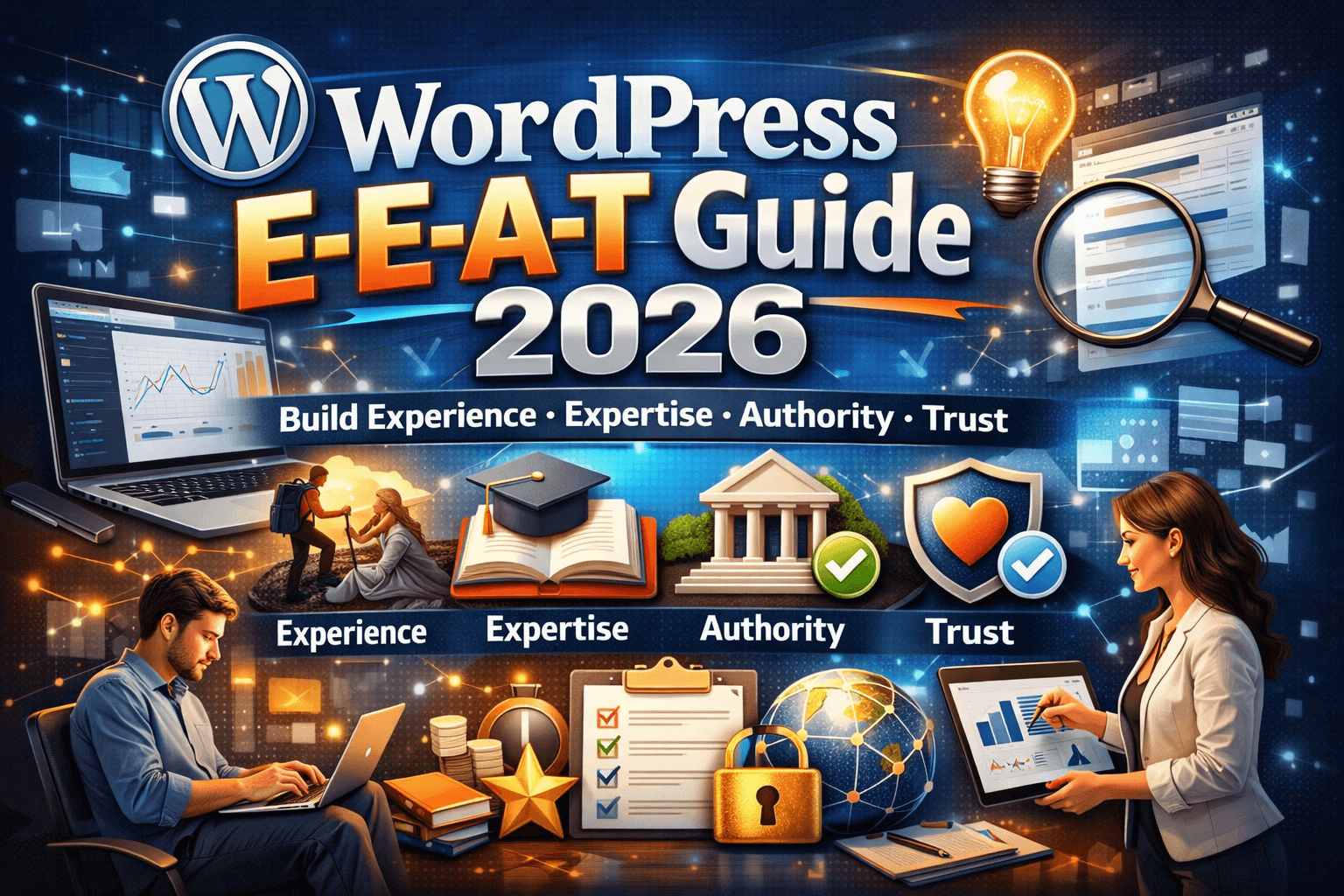
E-E-A-T stands for Experience, Expertise, Authoritativeness, and Trustworthiness. Google’s quality raters use these criteria to evaluate whether a website and its content deserve to rank highly. While E-E-A-T isn’t a direct ranking algorithm in the sense that a single signal goes in and a score comes out, it’s a guiding framework that shapes many of Google’s algorithmic decisions — particularly after major updates that target “low quality” content.
In 2026, with AI-generated content flooding search results and Google working harder than ever to surface genuinely helpful, credible sources, E-E-A-T signals matter more than at any previous point. A WordPress site that demonstrates real expertise, genuine author credentials, organizational transparency, and factual accuracy has a significant competitive advantage over sites that are technically optimized but thin on credibility.
This guide explains each E-E-A-T component in detail, what it means for WordPress sites specifically, and the concrete steps you can take to strengthen these signals across your website.
What Is E-E-A-T and Where Does It Come From?
Google’s Search Quality Evaluator Guidelines — a publicly available document used to train human quality raters who evaluate search results — introduced and defines E-E-A-T. These guidelines give us the clearest window into what Google considers high-quality content and why.
The four components:
Experience (added in 2022, making the original “E-A-T” into “E-E-A-T”) refers to first-hand, lived experience with the topic. A product review from someone who has actually used the product demonstrates experience. A medical article from a practicing physician demonstrates experience. Generic content synthesized from other sources does not.
Expertise refers to formal or informal knowledge depth in the relevant field. A cybersecurity article written by a CISSP-certified professional demonstrates expertise. An article about estate law written by a practicing estate attorney demonstrates expertise. Expertise can be demonstrated through credentials, years of experience, educational background, or demonstrable output (portfolio, publications, projects).
Authoritativeness refers to how the broader web perceives your site and its authors as authoritative sources. This is primarily built through external signals — links from authoritative sites, citations in industry publications, social proof, brand mentions. It’s harder to directly control than Experience or Expertise, but it’s influenced by the quality of your work over time.
Trustworthiness refers to how reliable, honest, and safe your site is. This encompasses: factual accuracy, transparent business information, clear authorship, honest reviews (not fake), secure checkout (for ecommerce), clear privacy practices, and not engaging in manipulative or deceptive practices.
Of these four, Google’s guidelines indicate that Trustworthiness is the most foundational. Even high expertise doesn’t compensate for a website that users can’t trust.
Part 1: Experience — Demonstrating Firsthand Knowledge on Your WordPress Site
The “Experience” signal was added by Google to specifically counter the rise of aggregated, synthetic content that demonstrates knowledge without demonstrating actual experience with the topic. It’s the difference between someone who has read about rock climbing and someone who has actually climbed.
What Experience Looks Like in Content
Experience signals in WordPress content include:
- Specific, concrete details that only someone with firsthand experience would know. Not “plugin X improves your site performance” but “when we installed plugin X on a WooCommerce store processing 500 orders per day, we saw database query time drop from 180ms to 65ms in the first week — here’s what changed.”
- Original screenshots, photos, and examples from actual use, not stock imagery or recycled screenshots from other sources.
- Nuanced, balanced assessments that acknowledge tradeoffs. Genuine experience with a product or service means knowing what it doesn’t do well, not just what it does well. “WPMazic SEO handles redirect management cleanly, but if you’re managing a site with 10,000+ redirect rules, you’ll want to import via CSV rather than adding them one by one through the UI” — that’s the kind of specific operational knowledge that signals real use.
- Case studies and real outcomes with specific numbers, timelines, and conditions rather than vague claims.
- First-person narrative where appropriate — “when we tested,” “in our experience,” “after six months of using this approach.” Not forced, but natural where genuine.
Demonstrating Experience on Your WordPress About Page
Your About page is one of the primary places Google’s quality raters look to assess who is behind a website. A weak, generic About page (“We’re a company that builds great things”) is a missed opportunity.
A strong About page for E-E-A-T should include:
- The founding story with specific context (when, why, what problem you were solving)
- The team’s actual backgrounds and professional experience, with names and photos
- Specific accomplishments, client counts, years in operation, notable projects
- What makes your experience specifically relevant to the content you publish
For WPMazic: the About page should explain who built the platform, their WordPress development background, how many sites they’ve worked on, why they built WPMazic SEO and Admin Framework Pro, and what specific expertise qualifies them to build these tools. That’s E-E-A-T done correctly.
Adding Experience Signals to Blog Content
For every significant WordPress tutorial or guide you publish, ask: “What would someone with actual hands-on experience add to this that a person who just read about it wouldn’t know?”
Add those elements deliberately. They make your content more useful AND they send E-E-A-T signals. This is not cynical SEO — it’s genuinely good content that happens to also satisfy what Google is looking for.
Part 2: Expertise — Signaling Knowledge Depth That Google Can Trust
Expertise signals tell Google that the person and organization creating content has genuine, substantial knowledge in the relevant field. For WordPress sites, expertise signals operate at both the site level and the author level.
Author Expertise Signals on WordPress
Every bylined piece of content on your WordPress site should connect to an author with demonstrable expertise. This means:
Author Bios: Replace the default WordPress “user description” (typically 1–2 generic sentences) with substantive author bios that include:
- Professional role and relevant experience
- Specific credentials, certifications, or educational background where applicable
- Years of experience in the field
- Links to professional profiles (LinkedIn, portfolio, professional association memberships)
- Previous publications, speaking engagements, or notable projects
The bio should be specific enough that a reader could verify the author’s credentials if they wanted to. “10+ years of WordPress development experience, contributor to [Plugin Name] on WordPress.org, speaker at WordCamp [City]” is better than “passionate web developer.”
Author Profile Pages: Create dedicated author profile pages on your WordPress site (yourdomain.com/author/firstname-lastname/) with the full bio, a professional photo, links to their work, and a list of all content they’ve published on your site. This creates a coherent author entity that Google can evaluate.
Author Schema: Implement Person schema for each author that links the author’s name to their credentials and professional profiles:
<span class="token token">{</span>
  <span class="token token">"@type"</span><span class="token token">:</span> <span class="token token">"Person"</span><span class="token token">,</span>
  <span class="token token">"name"</span><span class="token token">:</span> <span class="token token">"Alex Johnson"</span><span class="token token">,</span>
  <span class="token token">"jobTitle"</span><span class="token token">:</span> <span class="token token">"WordPress Developer & SEO Specialist"</span><span class="token token">,</span>
  <span class="token token">"url"</span><span class="token token">:</span> <span class="token token">"https://wpmazic.com/author/alex-johnson/"</span><span class="token token">,</span>
  <span class="token token">"sameAs"</span><span class="token token">:</span> <span class="token token">[</span>
    <span class="token token">"https://linkedin.com/in/alexjohnson"</span><span class="token token">,</span>
    <span class="token token">"https://profiles.wordpress.org/alexjohnson"</span>
  <span class="token token">]</span>
<span class="token token">}</span>
WPMazic SEO lets you configure author schema at the user profile level, so each author’s schema is generated automatically from their profile data across all their published posts.
Site-Level Expertise Signals
Beyond individual authors, your site as a whole signals expertise through:
Topical Focus: A site that covers WordPress plugins, WordPress SEO, WordPress performance, and WordPress security demonstrates deep expertise in the WordPress ecosystem. A site that covers WordPress one week, cryptocurrency the next, and cooking the week after signals no expertise in any of them.
Maintain a clear topical focus. Every piece of content you publish should reinforce your core topic cluster rather than dilute it with unrelated subjects.
Content Depth Across Your Niche: Expertise isn’t just about individual articles — it’s about comprehensive coverage of your topic area. A WordPress plugin site should have thorough coverage of: SEO, performance, security, admin workflow, WooCommerce, Gutenberg, theme development, plugin conflicts, migration — the full spectrum of topics its target audience cares about.
Content gaps in your core topic cluster signal incomplete expertise. Content that exists in your cluster signals that you’ve thought about the full picture.
Technical Accuracy: Incorrect information in your content is the fastest way to signal low expertise. If your WordPress speed guide recommends approaches that don’t work or are outdated, readers and quality raters will notice. Fact-check your content against current documentation, test your recommendations before publishing them, and keep content updated as the WordPress ecosystem evolves.
Part 3: Authoritativeness — Building the External Signals That Establish You as a Trusted Source
Authoritativeness is the most externally dependent E-E-A-T component. While you control Experience and Expertise through your content and presentation, Authoritativeness is largely determined by how others perceive and link to your site.
Backlinks from Relevant, Authoritative Sources
The most direct authority signal is having other respected sites in your industry link to your content. For WPMazic, that means links from:
- WordPress.org (plugin directory listing, contribute pages)
- WordPress-focused publications (WP Tavern, WPBeginner for significant coverage)
- Developer community sites (Smashing Magazine, CSS-Tricks, SitePoint)
- Agency sites discussing their toolstack that include WPMazic
- Independent WordPress developer blogs reviewing or recommending WPMazic products
These links carry authority because they represent a third-party endorsement. Getting them requires producing content and products genuinely worth linking to — there’s no shortcut.
For content-based link building:
- Publish genuinely useful, research-backed guides that others want to reference
- Create original data or studies that are citable (e.g., “We analyzed 1,000 WordPress sites’ Core Web Vitals — here’s what we found”)
- Build free tools or calculators that attract links by providing standalone value
- Guest post on relevant, authoritative blogs to establish your team’s authority while earning legitimate links
Brand Mentions and Unlinked Citations
Google doesn’t only evaluate linked mentions — it also processes unlinked brand mentions and citations as authority signals. If WPMazic is mentioned (without a link) in a widely read WordPress newsletter, a podcast transcript, or a forum thread where WordPress developers discuss their toolstack, that’s an authority signal.
Build brand visibility through:
- Active participation in WordPress communities (WordPress.org forums, Facebook groups, Discord servers)
- WordCamp sponsorship or speaking
- Podcast appearances or interview features
- Social media presence where your content is shared and discussed
Wikipedia and Knowledge Graph Presence
For established businesses, a Wikipedia presence or a Google Knowledge Panel is a strong authority signal. These aren’t achievable for every site, but they’re goals worth working toward as your authority grows. They signal that Google has sufficient external information about your entity to construct a knowledge record — the highest level of entity recognition.
Claiming Your Profiles on Major Platforms
Part of authoritativeness is being recognized across the platforms your industry participates in. For a WordPress plugin business, this includes:
- WordPress.org plugins directory profiles
- GitHub organization profile
- LinkedIn company page
- Crunchbase or ProductHunt profile
- G2 or Capterra listing (for software reviews)
Each of these represents an additional authoritative source that confirms your organization’s existence and activity. Connect them through your website’s sameAs schema links.
Part 4: Trustworthiness — The Non-Negotiable Foundation
Trustworthiness is fundamental because all other E-E-A-T components are essentially moot if users and Google can’t trust your site. This is especially critical for what Google calls “Your Money or Your Life” (YMYL) content — pages that could significantly impact a person’s health, financial decisions, legal situations, or safety.
Even for non-YMYL WordPress content, trustworthiness signals matter significantly.
Transparency Signals That Build Trust
Complete business information: Your WordPress site should make it easy to verify that a real, legitimate organization is behind it:
- Physical address (even for online-only businesses, a registered address is better than nothing)
- Verifiable contact information (email that matches your domain, not a generic Gmail)
- Company registration information if applicable
- Team information with verifiable professional profiles
Clear ownership of content: Every piece of content should have a bylined author. “Admin” or “Staff Writer” as the author is a trust-reducing signal. Real names of real people who stand behind the content they publish.
Publication and update dates: Show when content was published and when it was last updated. This is a transparency signal — you’re not hiding the age of the information. WordPress defaults to showing publication dates; make sure your theme displays this, and use the field in your Article schema to communicate when content has been updated.
Factual accuracy with corrections policy: If you publish incorrect information and then correct it, acknowledge the correction openly. A small editor’s note at the bottom (“Updated April 2026: The plugin API endpoint mentioned in step 3 has changed — we’ve updated the instructions”) signals honesty rather than trying to quietly scrub errors.
Security and Privacy Trust Signals
HTTPS everywhere: No HTTP pages on your site. Every page served over HTTPS. This is a foundational trust signal — browsers actively warn users about insecure connections, which visibly destroys trust.
Privacy policy: A genuine privacy policy that accurately describes your data practices. For WordPress sites using analytics, comment forms, contact forms, or ecommerce, this is legally required in most jurisdictions and expected by privacy-conscious users.
Cookie consent: If you’re serving users in the EU or UK, a compliant cookie consent mechanism isn’t optional. GDPR compliance is a trust and legal signal.
Secure payment processing (for ecommerce): If you sell plugins or services through your WordPress site, use reputable payment processors (Stripe, PayPal) with proper SSL and don’t store card data yourself. A money-back guarantee policy prominently displayed also builds transaction trust.
WPMazic’s 30-day money-back guarantee is a specific trust signal — it should be mentioned in blog content naturally where relevant, linked from product pages, and visible in the site footer. Trust signals that exist but aren’t visible don’t do their full job.
Review Honesty
Fake, incentivized, or misleading reviews are a fast track to losing Google’s trust. Google’s systems are increasingly good at detecting review manipulation. Maintain a policy of only featuring genuine, earned testimonials.
For WordPress plugins, legitimate review sources include:
- WordPress.org plugin repository reviews (publicly visible and verified)
- G2, Capterra, or Trustpilot reviews (verified purchaser flags)
- Case studies with identifiable clients who can be contacted for verification
Don’t manufacture social proof. Build real proof by making products and services genuinely worth reviewing well.
Part 5: YMYL Content and Heightened E-E-A-T Standards
“Your Money or Your Life” (YMYL) content refers to topics where low-quality, inaccurate information could directly harm users — financial advice, medical information, legal guidance, safety instructions, major purchasing decisions.
While most WordPress plugin content isn’t strictly YMYL, some adjacent topics carry elevated trust requirements:
- Security advice (telling someone to disable a security setting incorrectly could expose their site to attack)
- Legal WordPress licensing questions (plugin GPL licensing, commercial licensing implications)
- Financial decisions (which plugin tier to invest in, whether to use managed hosting vs. self-managed)
For content in these areas on your WordPress site, apply heightened E-E-A-T standards:
- More detailed author credentials for these specific posts
- More thorough fact-checking and sourcing
- More explicit disclaimers where recommendations carry significant consequences (“consult a licensed professional for your specific situation”)
- Updated more frequently as circumstances change
Part 6: Implementing E-E-A-T Improvements on Your WordPress Site
Theory is useful; implementation is what matters. Here’s how to systematically improve E-E-A-T signals across a WordPress site.
The E-E-A-T Audit Checklist
Trust Signals
- HTTPS active on every page with no mixed content warnings
- About page is comprehensive: team names, photos, backgrounds, company story
- Contact page has verifiable, consistent contact information
- Privacy policy is current and accurate for your data practices
- Footer includes NAP (Name, Address/Contact, Phone/Email) and links to About and Privacy Policy
- All external claims and statistics are cited with sources
- Refund/return policy clearly stated (for product/service sites)
- No fake reviews, testimonials, or manufactured social proof
Author Expertise
- Every bylined post has an author with a substantive bio (not a generic 1-liner)
- Author profile pages created with full credential information
- Author schema configured in WPMazic SEO for all contributing authors
- Author bios include links to professional profiles (LinkedIn, WordPress.org, etc.)
- Author photos are real professional headshots
Organization Authority
- Organization schema on homepage with complete name, URL, logo, contact, sameAs
- sameAs includes all active professional profiles (LinkedIn, GitHub, WordPress.org, G2, etc.)
- WordPress.org plugin listing is complete and linked from site
- External links from relevant industry sources exist and are growing
Content Experience Signals
- Content includes specific, concrete examples from actual experience
- Original screenshots and examples used (not recycled from other sources)
- Content is factually accurate and tested before publishing
- Publication and last-updated dates visible on all posts
- Content includes balanced assessments of tradeoffs, not just promotional claims
Topical Coverage
- Core topic cluster is clearly defined and content covers it comprehensively
- Content gaps identified and addressed in publishing plan
- No significant off-topic content diluting topical focus
Part 7: Using WPMazic SEO to Implement E-E-A-T Technical Signals
Many E-E-A-T signals are communicated to Google through schema markup — machine-readable structured data that explicitly states your organization’s identity, authors’ credentials, and content type. WPMazic SEO centralizes this across your entire WordPress site.
Organization Schema Configuration
In WPMazic SEO → Schema Settings → Organization:
- Set your legal business name (exactly as registered)
- Enter your primary URL
- Upload your logo URL (min 112x112px, preferably larger)
- Add all social profile URLs in the
field - Include contact information (phone, email)
- Set your
and
This generates Organization schema that appears in the of every page on your site — a site-wide entity declaration that tells Google who you are.
Author Schema Configuration
In WPMazic SEO → User Profiles (or via individual user editing):
- For each content author, complete their biographical information, professional title, and social profile URLs
- WPMazic SEO generates Person schema for each author based on this profile data
- This schema links author names to identifiable entities with professional context
Article Schema with Freshness Signals
For every published post, WPMazic SEO’s Article schema automatically captures:
— from the post’s publication date— updated automatically when you edit and update the post (or manually set via the plugin’s post meta panel)— linked to the configured Person schema for the post’s author— linked to the Organization schema
This complete Article schema tells Google exactly what type of content it is, who created it, when, and under which organization’s name — the complete E-E-A-T authorship declaration.
E-E-A-T Is a Long Game
The most important thing to understand about E-E-A-T is that it’s not a quick fix or a technical setting. It’s the accumulation of genuine quality signals over time — real author credentials, real organizational transparency, real external recognition, real factual accuracy.
Sites that try to manufacture E-E-A-T signals through fake bios, purchased links, or inflated credentials don’t benefit from the genuine authority that real E-E-A-T builds. And they’re increasingly exposed as quality raters and algorithmic systems get better at detecting inauthenticity.
The honest path — building real expertise, publishing genuinely excellent content, running a trustworthy operation, and demonstrating that through transparent disclosure — is also the most durable path. E-E-A-T built through genuine quality doesn’t collapse after algorithm updates. It often improves.
For WordPress plugin companies like WPMazic, the E-E-A-T opportunity is significant: deep product expertise, firsthand implementation experience, genuine client use cases, and a long-term organizational commitment to the WordPress ecosystem. The goal is making all of that visible and machine-readable — through content quality, author signals, schema markup, and organizational transparency.
WPMazic SEO handles the technical side of E-E-A-T signaling — schema, author markup, organization data — so you can focus on the content and operational work that actually builds authority over time.