Article Guide
Use these jump points to move through the article faster.
If you are new to WordPress SEO, the good news is this: you do not need 100 advanced tactics to start getting results. Most beginners improve rankings by getting the basics right, such as clean URLs, better titles, faster pages, proper indexing, strong internal links, mobile-friendly layouts, and useful content that matches what people actually search for. Beginner-focused WordPress SEO checklists commonly emphasize SEO plugins, Search Console setup, keyword research, titles, descriptions, URLs, sitemaps, speed, and image optimization as the core starting points.
This guide is built for website owners, bloggers, freelancers, and small businesses who want a clear roadmap without getting buried in jargon. It follows a beginner-friendly structure: set up the basics first, fix technical issues early, optimize each page correctly, and build habits that help your content rank over time.
And yes, I’ll also show you how tools like WPMazic SEO and WPMazic Admin Pro can make the workflow cleaner if you want a more streamlined WordPress setup for optimization and site management.
What Is a WordPress SEO Checklist?
A WordPress SEO checklist is simply a structured list of actions that help your website become easier to crawl, understand, and rank in search engines. Most reliable beginner checklists include plugin setup, webmaster tools, keyword targeting, SEO titles, meta descriptions, clean permalinks, image optimization, internal linking, mobile readiness, and sitemap submission.
The reason checklists work so well for beginners is that SEO success usually does not come from one trick. It comes from stacking many small improvements in the right order.
If your site is missing the basics, even great content can struggle. But once the foundation is set, every new page you publish has a better chance to perform.
Why Beginners Should Start With SEO Basics
Many WordPress users jump straight into writing blog posts and only think about SEO later. That usually leads to avoidable problems like ugly URLs, missing metadata, indexing mistakes, weak structure, uncompressed images, and no sitemap submission. Beginner SEO guides consistently place setup tasks first because fixing those early is easier than repairing a messy site later.
Starting with the basics also gives you a repeatable process. Instead of guessing what to optimize, you follow a checklist before and after publishing each page.
That is exactly how beginners make SEO manageable: fewer random actions, more consistency.
The Complete WordPress SEO Checklist for Beginners
Below is the practical checklist. Some steps are one-time setup tasks, while others should be repeated whenever you publish or update content. The biggest beginner wins usually come from doing the essentials thoroughly instead of chasing advanced tactics too early.
1. Choose a Fast, SEO-Friendly WordPress Theme
Your theme affects speed, mobile responsiveness, layout quality, and overall usability. Beginner WordPress SEO setup guides often recommend starting with a responsive, lightweight, SEO-friendly theme because bloated themes can slow down your site and make optimization harder later.
Look for a theme that loads cleanly, works well on mobile, supports schema-friendly structure where possible, and does not depend on heavy effects for basic layout. You do not need the fanciest theme. You need a stable one.
If a theme looks impressive in a demo but loads slowly, uses too many scripts, or becomes difficult to manage, it can turn into an SEO problem fast.
2. Install a WordPress SEO Plugin
One of the first tasks in nearly every beginner WordPress SEO checklist is installing an SEO plugin. Beginner guides repeatedly recommend this because an SEO plugin helps manage titles, descriptions, sitemaps, canonicals, schema settings, and indexing rules without manual coding.
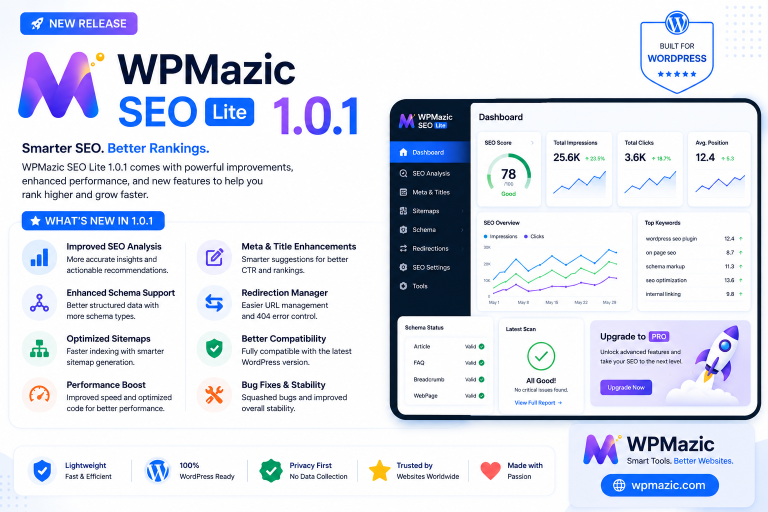
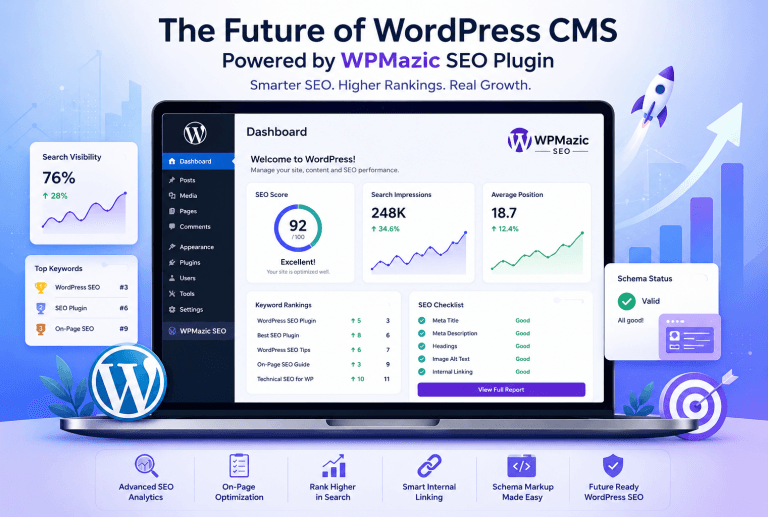
This is where WPMazic SEO fits naturally into the workflow. If you want a cleaner SEO setup experience inside WordPress, WPMazic SEO can help centralize common optimization tasks so you are not jumping around different settings screens all the time.
For beginners, the best SEO tool is not just the one with the most features. It is the one that helps you actually complete the setup correctly and consistently.
3. Set Your Site Visibility Correctly
One of the easiest mistakes on a new WordPress site is accidentally blocking search engines. Beginners are commonly advised to review WordPress visibility settings early because some sites remain hidden simply due to a setup checkbox or indexing restriction left enabled during development.
Go to your WordPress reading settings and make sure the site is not discouraging search engines from indexing it if the website is ready to go live.
This sounds small, but it can completely stop search visibility if missed.
4. Use SEO-Friendly Permalinks
Beginner WordPress SEO guides strongly recommend clean permalink structures. Instead of default URLs like ?p=123, most checklists recommend readable URLs based on the post name because they are clearer for both users and search engines.
For most websites, /%postname%/ is the simplest and safest choice. It keeps URLs short, descriptive, and easy to share.
Set this early. Changing permalinks after a site has already built traffic can create redirect work later.
5. Set Up Google Search Console
Beginner checklists often include webmaster tools and Search Console very early in the process. This is important because Search Console helps you monitor indexing, sitemap status, coverage issues, and search performance over time.
Once your site is verified, you can submit your sitemap, inspect URLs, and track which pages are appearing in search. That makes SEO less guesswork-based.
If you publish content without Search Console, you are basically flying blind.
6. Add Analytics From Day One
Some beginner SEO checklists also recommend adding analytics during setup so you can measure traffic trends, landing pages, engagement, and content performance. Analytics tools help you understand whether your SEO work is moving in the right direction.
You do not need to obsess over numbers on day one, but you do need clean data from the beginning. Otherwise, later growth becomes harder to measure accurately.
Even basic analytics can tell you which content is attracting visitors and which pages need improvement.
7. Create a Clean Site Structure
SEO checklists for WordPress often recommend building a logical hierarchy like Home > Category > Subcategory > Post. A clean hierarchy helps visitors navigate and gives search engines clearer topical relationships between sections of the site.
For beginners, this means thinking ahead about your main categories before publishing dozens of posts. If everything is dumped into random sections, your site becomes harder to understand and harder to scale.
A clean structure also makes internal linking easier later.
8. Do Basic Keyword Research Before Writing
Beginner WordPress SEO resources consistently recommend keyword research before creating pages or posts. Instead of guessing topics, you should identify the search terms people are already using and define one main keyword or phrase for each page.
This does not mean you need expensive tools on day one. Even basic research around real search phrases, questions, and long-tail terms can improve your content planning a lot.
The biggest beginner mistake is trying to target too many unrelated keywords in one post. Focus beats clutter.
9. Match Search Intent, Not Just Keywords
Modern WordPress SEO checklists increasingly emphasize intent, not only volume. That means you should understand whether users want a guide, a product, a comparison, a service page, or a quick answer before writing the content.
For example, someone searching best WordPress SEO plugin likely expects a comparison article, while someone searching how to install an SEO plugin in WordPress expects a step-by-step tutorial.
When the format matches intent, your page is naturally more useful.
10. Write One Main Topic Per Page
Beginner SEO guides often warn against stuffing too many target phrases into a single page. When one page tries to rank for several very different intents, it becomes harder for search engines to understand what the page is mainly about.
Each important page should have a clear purpose: one service, one tutorial, one category, one product, or one major question.
If you have multiple subtopics, support them with headings and related terms, but keep the page centered around one primary theme.
11. Optimize the SEO Title
SEO checklists commonly recommend placing the main keyword naturally in the SEO title. This is one of the most basic on-page SEO tasks because the title strongly influences both relevance and click appeal in search results.
Your title should be clear, specific, and written for humans first. Avoid robotic titles packed with repeated keywords.
A good title usually does two things at once: it explains the page and gives people a reason to click.
12. Write a Better Meta Description
Beginner WordPress SEO checklists also highlight meta descriptions because they help shape how your page appears in search results. Many guides recommend including the primary keyword naturally while keeping the message compelling and easy to understand.
The meta description will not save weak content, but it can improve click-through rate when written well.
Think of it as your short search-result pitch: concise, honest, and benefit-focused.
13. Use Short, Clean URLs
Beginner SEO tutorials often recommend customizing URLs so they stay short and descriptive. Long URLs with dates, filler words, or unnecessary folders are harder to read and usually offer no SEO advantage.
A clean URL is easier to understand at a glance. It also looks better when shared.
Try to keep only the essential words related to the page topic.
14. Use Proper Heading Structure
WordPress SEO checklists for beginners usually include heading usage because headings help structure content for readers and search engines. Common recommendations include one clear H1 per page, followed by H2 and H3 subheadings that reflect the topic naturally.
This improves readability and helps break long content into scan-friendly sections.
Do not use headings just to make text look bigger. Use them to create meaning and structure.
15. Put the Main Keyword in Important Places Naturally
Some SEO checklists recommend using the target keyword in the title, URL, subheadings, first paragraph, and meta description when it fits naturally. The key word here is naturally. Overdoing it turns the content awkward and can look spammy.
Beginners often think more repetition means better rankings. Usually it just makes the article worse.
Use the main phrase where it belongs, then support it with related language throughout the article.
16. Avoid Keyword Stuffing
Beginner SEO guidance often warns against stuffing content with repeated phrases. Search engines are much better at understanding context now, so writing naturally is more effective than repeating the same keyword over and over.
If your paragraph sounds unnatural when you read it out loud, it probably needs to be simplified.
Clear writing almost always beats forced optimization.
17. Publish Helpful, High-Quality Content
Most WordPress SEO checklists eventually lead to the same truth: no setup can compensate for weak content. Beginner-friendly SEO guides consistently recommend publishing clear, useful, engaging pages that answer real questions better than competing pages.
That means practical detail, good examples, better formatting, and a real understanding of the searcher’s problem.
SEO gets easier when the page genuinely deserves attention.
18. Make Content Easy to Read
Beginners often focus only on keywords and forget readability. But short paragraphs, clear subheadings, bullet points, and clean formatting make content easier to scan, which is especially important for blog readers and mobile users. Readability is commonly emphasized in beginner SEO workflows and plugin guidance.
If a page looks like a wall of text, many users will leave before they even understand the value.
Readable content improves the user experience and supports better engagement signals.
19. Add Internal Links to Related Content
Internal linking appears frequently in WordPress SEO checklists because it helps connect related content, spread authority across the site, and guide visitors to relevant next steps. A logical internal linking structure also supports crawlability and topic depth.
Whenever you publish a new post, link to older relevant posts. And when possible, update older posts so they link back to the new one.
This creates stronger topical clusters over time.
20. Use Categories Carefully
SEO checklists and WordPress setup guides often stress organizing content with strategic categories and tags rather than creating them randomly. Categories should represent major content themes, not dozens of near-duplicate labels.
For beginners, a smaller number of useful categories is usually better than too many vague ones.
If categories are clean, both users and search engines can understand your site structure more easily.
21. Do Not Overuse Tags
Many WordPress sites become messy because every post gets a new set of tags. While tags can help in specific cases, beginner sites often create too many weak archive pages when tags are used without a clear strategy. WordPress SEO checklists that emphasize hierarchy and clean architecture indirectly support keeping tag use under control.
If you do not have a real plan for tags, it is often better to use categories more thoughtfully and keep tags minimal.
More archive pages do not automatically mean more SEO value.
22. Optimize Images Before Uploading
Image optimization is a standard part of beginner SEO checklists. Common recommendations include compressing images, using descriptive alt text, and choosing efficient formats because oversized images can slow pages down while poorly labeled images provide less context to search engines.
Before uploading an image, resize it to a sensible dimension and compress it. This reduces load time without hurting quality too much.
Heavy media is one of the easiest performance issues to fix on a beginner WordPress site.
23. Write Descriptive Alt Text
Beginner WordPress SEO resources often mention alt text because it helps accessibility and gives search engines more context about the image. Good alt text should describe the image in relation to the page, not just repeat the target keyword blindly.
If the image shows a WordPress dashboard SEO settings panel, describe that clearly. If it is decorative only, keep it simple.
Alt text works best when it is useful, not forced.
24. Improve Site Speed
Speed optimization appears in almost every modern WordPress SEO checklist because slow pages hurt user experience and reduce overall site quality. Beginner guides often recommend caching, lighter themes, image compression, and script cleanup as practical first steps.
You do not need to become a performance engineer overnight. Just start with the biggest wins: better hosting, caching, smaller images, and fewer unnecessary plugins.
Speed matters even more on mobile, where many WordPress sites feel much slower than expected.
25. Make Sure the Site Is Mobile-Friendly
Responsive design is a routine item in WordPress SEO checklists because search visibility and user experience both depend heavily on mobile usability. Guides often remind beginners to check whether their theme and layout work smoothly across different screen sizes.
Buttons should be easy to tap, text should be readable, and layouts should not break on smaller devices.
A website that only feels good on desktop is already behind.
26. Enable SSL and Use HTTPS
Multiple WordPress SEO checklists recommend enabling SSL and using HTTPS because secure websites are now a baseline expectation. HTTPS is commonly described as both a trust signal and a necessary standard for modern sites.
If your site still loads on HTTP, fix that early and redirect everything to HTTPS.
Security and trust are part of a healthy SEO foundation.
27. Generate and Submit an XML Sitemap
Beginner SEO guides almost always include sitemap generation and submission. A sitemap helps search engines find important pages and is usually easy to create through an SEO plugin.
Once your sitemap is ready, submit it in Search Console so search engines can discover and revisit your content more efficiently.
This is not complicated, but it is often overlooked by beginners.
28. Check for Indexing Issues
Some WordPress SEO checklists include checking indexing and crawl issues because not every published page gets indexed properly. Technical sections of SEO checklists often mention crawl errors, indexing issues, and duplicate content as important maintenance tasks.
If a page is not showing up in search, inspect whether it is blocked, noindexed, duplicated, or simply too weak to deserve indexing yet.
This is why regular monitoring matters.
29. Fix Broken Links
Broken links are another common item in WordPress SEO checklists. They create a poor user experience and can weaken site quality if left unresolved. Technical SEO lists often include broken-link cleanup as a basic maintenance task.
Check both internal and external links from time to time, especially on older posts.
A site that feels maintained usually performs better than one full of dead ends.
30. Avoid Redirect Chains
Technical SEO checklists often recommend inspecting redirect chains and loops. If a URL redirects through multiple steps before reaching the final page, that creates unnecessary friction for both users and crawlers.
If you have changed URLs, update internal links to point directly to the final version instead of the old one.
One clean redirect is manageable. Several chained together are not ideal.
31. Set Canonical URLs Properly
Beginner-friendly WordPress SEO checklists sometimes include canonical URL settings as part of duplicate-content prevention. This is especially useful when similar pages, archive views, or parameterized URLs can create overlap.
In most cases, an SEO plugin will handle the basics automatically. Still, it is worth understanding why canonicalization exists.
It tells search engines which version of a page should be treated as the main one.
32. Configure Title and Meta Templates
Some WordPress SEO checklists recommend setting templates for title tags and meta descriptions so pages display consistently across the site. For example, many setups use a pattern like %post_title% | %site_name%.
This saves time and creates a reliable default if you forget to customize a page manually.
Templates are helpful, but your most important pages should still be edited with custom titles and descriptions.
33. Use Schema Where It Makes Sense
Beginner-level WordPress SEO guides often mention structured data or schema as part of broader search appearance optimization, especially through SEO plugins with built-in schema support. Richer search appearance features can make listings more informative.
You do not need to obsess over schema on day one, but it is useful to have a plugin or setup that handles basic article, page, or organization markup properly.
The key is accuracy. Structured data should match the visible content on the page.
34. Keep Plugins Lean
Many SEO problems on WordPress are really plugin-management problems in disguise. Although beginner checklists focus more on setup than cleanup, speed and performance recommendations across WordPress SEO guides repeatedly imply that too many unnecessary plugins can slow your site and complicate maintenance.
Use what you need, but do not install five plugins that overlap in features.
A lean site is easier to optimize and easier to troubleshoot.
35. Update Old Content
Strong SEO is not only about new posts. Many WordPress SEO guides encourage reviewing and improving existing content because refreshed pages can regain relevance, improve internal linking, and perform better over time.
Update outdated screenshots, refresh examples, improve formatting, add FAQs, and strengthen weak sections.
Sometimes the easiest ranking win comes from improving something you already have.
36. Build a Simple Publishing Workflow
One reason SEO checklists work is that they turn optimization into a repeatable process. Beginner guides that use checklist formats are effective because they reduce missed steps and help site owners publish more consistently.
A simple pre-publish workflow can include checking the title, URL, keyword focus, headings, images, internal links, meta description, and mobile layout before going live.
Consistency beats occasional bursts of optimization.
37. Use WPMazic SEO to Simplify Your Workflow
If you want to make beginner SEO more manageable inside WordPress, WPMazic SEO is worth considering as part of your workflow. Instead of treating SEO like a scattered task spread across too many screens, WPMazic SEO can help you handle optimization tasks in a more organized way.
That is especially useful for beginners who want a cleaner setup experience without feeling buried under too many options at once.
If your goal is to publish better-optimized content faster and with fewer missed steps, a focused SEO workflow plugin can make a real difference.
38. Use WPMazic Admin Pro for Better Site Management
SEO is easier when the WordPress admin experience is cleaner and more efficient. That is where WPMazic Admin Pro can support your day-to-day workflow by helping you manage the back end more smoothly.
When you spend less time navigating cluttered admin tasks, it becomes easier to stay consistent with content updates, optimization checks, media handling, and general site maintenance.
In simple terms, WPMazic SEO helps with optimization, and WPMazic Admin Pro helps create a better environment to manage the site around that work.
A Beginner-Friendly Pre-Publish SEO Checklist
Here is a simple checklist you can follow before publishing any WordPress page or post. It combines the most common beginner recommendations from current WordPress SEO checklist-style resources.
- Choose one primary keyword or topic.
- Match the content to search intent.
- Write a clear SEO title with the keyword naturally included.
- Write a useful meta description.
- Use a short, clean URL.
- Add one clear H1 and structured H2/H3 headings.
- Include the topic naturally in the introduction and key sections.
- Add internal links to relevant pages.
- Compress images and write alt text.
- Check mobile layout before publishing.
- Make sure the page is indexable.
Common Beginner SEO Mistakes to Avoid
Beginners often make the same handful of mistakes: using default permalinks, skipping keyword research, writing weak titles, publishing thin content, ignoring image optimization, forgetting internal links, and never checking Search Console. These problems show up again and again in beginner-focused WordPress SEO resources.
Another common mistake is trying to do too much too soon. You do not need advanced SEO tactics before you have handled the basics properly.
Start with strong foundations, then improve one layer at a time.
How Long Does WordPress SEO Take?
Beginners often expect instant results, but SEO is usually gradual. A properly optimized WordPress site can improve over weeks and months as search engines crawl pages, evaluate content quality, and observe how users respond.
The important thing is that early setup decisions matter. A site with clean structure, better titles, fast pages, and consistent publishing is in a stronger position than one that ignores the basics.
SEO rewards patience, consistency, and solid execution.
Final Thoughts
If you are just starting out, do not overcomplicate WordPress SEO. Focus on the setup tasks that matter most: install a solid SEO plugin, use clean permalinks, create a logical structure, do basic keyword research, optimize titles and descriptions, speed up the site, add internal links, and submit your sitemap. Those steps are repeated across beginner WordPress SEO checklist guides for a reason: they work as a foundation.
Once that foundation is in place, each new post becomes easier to optimize and more likely to rank. And if you want a smoother workflow inside WordPress, tools like WPMazic SEO and WPMazic Admin Pro can help you keep both optimization and administration more organized.
Start simple, stay consistent, and build from there. That is how beginners turn WordPress SEO into long-term growth.